
Managing digital footprints on iOS is a fundamental task for maintaining both privacy and local storage efficiency. While the iPhone call log provides a seamless history of communication, high-frequency users often need to purge these records to optimize the Recents database and ensure data hygiene.
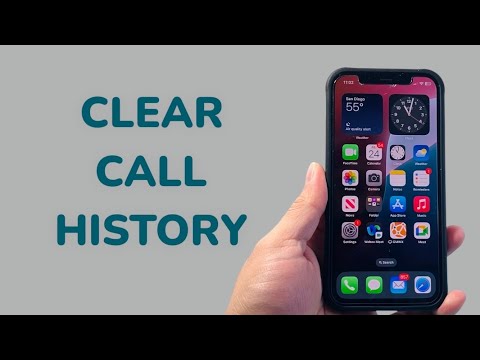
The Technical Process: Manual Deletion via iOS Interface

The standard operating procedure for clearing your call history involves interacting directly with the Phone application’s local database. Users can choose between granular deletion (individual entries) or a complete database reset.
To delete specific call entries:
- Open the Phone app and navigate to the Recents tab.
- Locate the specific entry you wish to remove.
- Swipe left on the contact name or number and tap Delete. Alternatively, tap Edit at the top right, then use the red minus icon.
To clear the entire call log history:
- Within the Recents tab, tap Edit in the upper right corner.
- Tap Clear in the upper left corner.
- Confirm the action by selecting Clear All Recents.
Software Architecture and Data Privacy
From a software perspective, clearing your call history on an iPhone triggers a deletion command across the local storage and, if enabled, the iCloud synchronization layer. This ensures that the logs are removed from all devices linked to the same Apple ID. For those prioritizing security, it is important to note that while the logs are removed from the UI, metadata may still exist within carrier logs or encrypted backups until those backups are overwritten.
AI Implementation Score
At Smart AI Fix, we evaluate the efficiency of these software tasks based on their potential for automation and algorithmic optimization. Below is the assessment for iPhone call log management:
| Metric | Rating | Notes |
|---|---|---|
| Manual Efficiency | High | Native UI is responsive and intuitive. |
| AI Automation Potential | Medium | iOS currently lacks a native "Auto-Clear" AI routine. |
| Cross-Device Sync | Excellent | iCloud ensures global deletion across the ecosystem. |
| Data Hygiene Score | 9.5/10 | Effectively reduces metadata clutter. |
Future-Proofing Your Privacy with Automation

While Apple does not currently provide a native AI toggle to "Auto-Delete Call Logs Every 30 Days," power users can utilize Shortcuts and Focus Modes to streamline their digital environment. Maintaining a clean call history is not just about secrecy; it is about reducing the cognitive load on the user and ensuring that the software remains optimized for high-speed retrieval of relevant contact data.
