
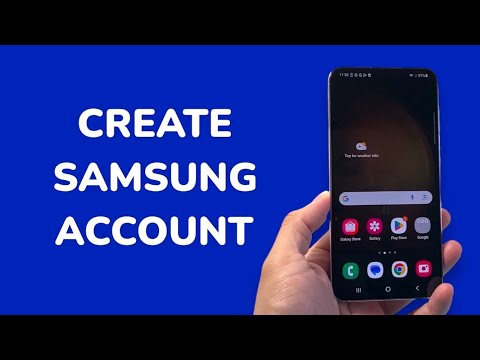
In the current landscape of mobile computing, a Samsung Account serves as the essential gateway to a fully integrated ecosystem. Beyond simple data storage, it acts as the authentication layer for Galaxy AI, enabling high-level software automation, cross-device synchronization via SmartThings, and advanced security protocols. For power users, configuring this account is the first step in optimizing the performance of any Android-based Samsung hardware.
AI Implementation Score
| Metric | Score (1-10) | Details |
|---|---|---|
| Efficiency | 9.5 | Instant synchronization of system settings and biometric data. |
| Integration | 10.0 | Seamless connectivity between mobile, tablets, and IoT devices. |
| Automation Potential | 8.5 | Enables Bixby Routines and AI-driven battery management. |
| Security | 9.0 | Supports Knox Vault and Two-Step Verification (2FA). |
Prerequisites for Account Deployment

To ensure a frictionless setup, you must have an active internet connection and a valid Google account or a third-party email address. Samsung’s modern architecture allows for "Social Login" integration, which can significantly reduce the time spent on manual data entry.
Step-by-Step Configuration on Mobile
1. Access System Settings: Swipe down from the notification shade and tap the Settings (gear) icon. Navigate to the top of the menu where "Samsung Account" is prompted, or scroll down to Accounts and Backup > Manage Accounts.
2. Initiate Creation: Select Add Account and tap on Samsung Account. On the login interface, choose the Create Account option located at the bottom of the screen.
3. Legal and Privacy Consent: Review the Terms and Conditions. For those interested in AI-driven personalization, ensure the "Customization Service" is toggled on. This allows the software to learn from your behavior to automate routine tasks. Tap Agree to proceed.
4. Credential Entry: Input a functional email address and a robust password. You will also be required to provide your first name, last name, and date of birth. This data is used to tailor the AI algorithms to your specific age group and regional requirements.
5. Identity Verification: Samsung requires Two-Step Verification for all new accounts. Input your mobile phone number to receive a 6-digit validation code. Once the code is entered, your account is live and integrated into the Knox security framework.
Maximizing Software Efficiency

Once your Samsung Account is active, you should immediately navigate to the Advanced Features menu in your settings. This allows you to enable Advanced Intelligence, which leverages cloud-based processing to enhance photo editing, text summarization, and live translation. By centralizing your identity through this account, you allow the AI ecosystem to maintain a consistent state across all your authorized devices, ensuring that your automated workflows remain uninterrupted regardless of the hardware you are currently using.
