
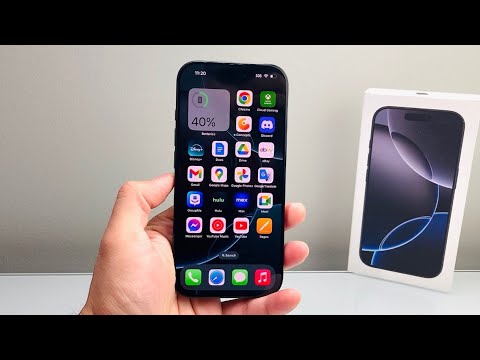
Determining the origin and lifecycle status of an iPhone is a critical task for any tech professional or consumer looking to verify hardware integrity. While external appearances can be deceiving, the iOS internal firmware contains a hardcoded logic that identifies whether a device was sold as new, refurbished, or issued as a service replacement. At Smart AI Fix, we prioritize software-driven verification methods to ensure data accuracy without the need for intrusive hardware inspections.
The Methodology: Decoding the Model Number

Every iPhone carries a specific model identifier within its Settings app. This string of characters acts as a metadata fingerprint. By analyzing the first letter of this model number, you can immediately categorize the device’s retail history. This logic is embedded by Apple during the manufacturing or re-certification process and cannot be altered by standard factory resets.
AI Implementation Score
The following table evaluates the efficiency of checking iPhone status using automated software logic versus manual hardware inspection.
| Metric | Score (1-10) | Technical Reasoning |
|---|---|---|
| Data Efficiency | 10 | Retrieval takes less than 2 seconds via OS query. |
| Automation Potential | 9 | MDM (Mobile Device Management) can pull this via API. |
| Accuracy | 10 | Derived directly from Apple’s manufacturing database. |
| Ease of Use | 10 | No specialized diagnostic tools required. |
How to Access the Identity String

To begin the verification, navigate to Settings > General > About. Locate the entry labeled Model Number. If the string you see has a slash (e.g., MQ3D2LL/A), tap it once to reveal the shorter identifier starting with a single letter. This first letter is the key to your diagnostic.
1. M – Brand New Device: If the model number starts with "M," the device was purchased as a brand-new retail unit. This is the gold standard for hardware longevity and reflects a device that has not undergone previous repairs or recycling cycles.
2. F – Refurbished Unit: A model number starting with "F" indicates the device is Refurbished. This means the phone was previously used, returned, and put through a formal refurbishment process. If refurbished by Apple, it typically includes a new battery and outer shell, though the logic board is reused.
3. N – Replacement Device: The "N" prefix stands for Replacement. These units are issued by Apple Authorized Service Providers or Apple Stores when an original device is swapped under warranty or via AppleCare. While functionally equivalent to new, they are designated specifically for the service channel.
4. P – Personalized/Engraved: If the letter is "P," the device was sold as a Personalized unit with custom laser engraving on the chassis. This is functionally identical to the "M" category but carries a unique retail identifier.
Verification via AI and Automation Tools
For enterprise environments, checking individual devices manually is inefficient. Modern AI-driven diagnostic software can scan the serial numbers and model identifiers of hundreds of devices simultaneously. By cross-referencing these codes with Apple’s GSX (Global Service Exchange) database, automation tools can detect if a device labeled "M" has actually had its screen or battery replaced by a third party, providing a deeper layer of security beyond the simple model letter.
By understanding these firmware-level identifiers, users can avoid the risks associated with the secondary market and ensure their hardware meets the professional standards required for high-performance mobile computing.
