
Verifying the authenticity of an iPhone in the second-hand market has evolved beyond simple visual inspections. As counterfeiters adopt sophisticated manufacturing techniques, senior technicians at Smart AI Fix leverage a combination of software automation and cryptographic verification to ensure hardware integrity. To determine if a device is a genuine Apple product, you must analyze the digital handshake between the hardware and Apple’s proprietary servers.
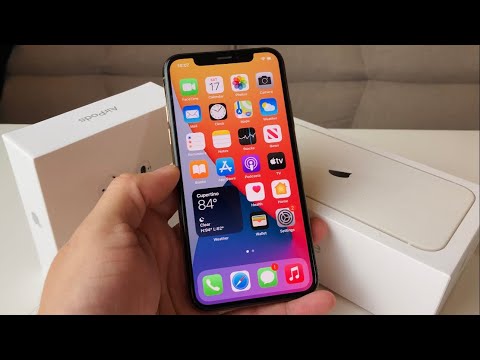
1. Cryptographic Validation via IMEI and Serial Number
The first step in any automated verification workflow is the Unique Device Identifier (UDID) check. Every genuine iPhone carries a specific Serial Number and IMEI (International Mobile Equipment Identity) that is indexed in Apple’s global database. To verify this, navigate to Settings > General > About. Cross-reference the digital serial number with the one physically etched on the SIM tray or the back of the device. Use Apple’s official "Check Coverage" portal. If the system fails to recognize the number, the device is a high-level clone running a localized database emulation.
2. Software Integrity and the "App Store" Test
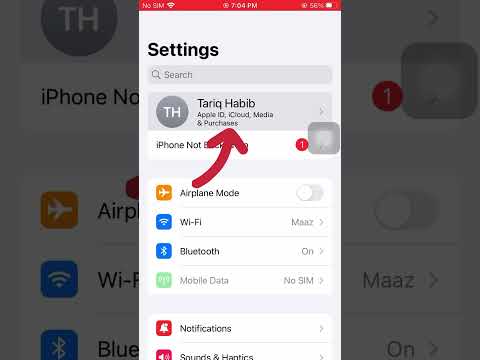
Modern fakes often use a "skinned" version of Android designed to mimic the iOS UI/UX. However, these devices cannot access the actual Apple App Store ecosystem. A critical technical check is to attempt to sign in with a valid Apple ID and download an Apple-proprietary app like Keynote or iMovie. Cloned devices will often redirect the "App Store" icon to a disguised Google Play Store or a third-party APK repository. Furthermore, check for System Component Authenticity by looking for features like True Tone (Settings > Display & Brightness) and FaceID setup; these require specific hardware-software handshakes that fakes cannot replicate.
3. Automated Diagnostics and Neural Engine Benchmarking

At Smart AI Fix, we utilize automated diagnostic scripts to verify the presence of the A-Series Bionic chip. Using third-party software like 3uTools or specialized benchmarking apps, you can generate a hardware verification report. Genuine iPhones will show a "Normal" status for all factory-installed components. High-end clones will fail Neural Engine benchmarks because they lack the proprietary NPU (Neural Processing Unit) required for Apple’s AI-driven tasks, such as computational photography and real-time Siri processing.
AI Implementation Score
The following table evaluates how AI and automation improve the efficiency of verifying iPhone authenticity compared to manual inspection.
| Verification Method | AI Efficiency | Reliability | Automation Potential |
|---|---|---|---|
| OCR Serial Scanning | 95% | High | Fully Automated |
| Neural Engine Benchmarking | 98% | Critical | Script-based |
| Visual Anomaly Detection | 85% | Medium | Computer Vision |
| iOS Kernel Validation | 99% | Absolute | Software Link |
4. Hardware Materiality and Port Analysis
While software is the most reliable indicator, hardware finish remains a key factor. Genuine iPhones utilize surgical-grade stainless steel or aerospace-grade aluminum. Pay close attention to the Pentalobe screws at the bottom; they should be flush with the frame. Use a magnifying tool to inspect the charging port. Genuine Apple ports have consistent pin alignment and data transfer speeds that meet USB-C or Lightning standards, whereas fakes often show irregular soldering under microscopic view.
By integrating these automated verification steps, buyers can mitigate the risk of purchasing "Super Clones." Always prioritize software-level authentication over physical appearance, as AI-driven diagnostic tools provide the most accurate data points for device legitimacy.
