
Understanding whether an Android device is unlocked is a critical step for users looking to optimize their mobile experience, switch carriers, or leverage international software configurations. From an AI efficiency perspective, a carrier-unlocked phone represents the ultimate "open architecture" for mobile automation, allowing the device to interface with global network protocols without proprietary software restrictions.
Method 1: Identifying Carrier Status via Software Settings
Modern Android distributions, particularly those running Android 11 or higher, have integrated device status flags directly into the system UI. To check your status using the software layer, follow these steps:
Navigate to Settings > About Phone > Status (or Software Information). Look for a field labeled "Network Unlock" or "SIM Status." If the device is unlocked, it will typically display "Network Unlocked" or "Permanent Unlock." In Google Pixel devices, you can also check Settings > Network & internet > SIMs; if you can add a new E-SIM without restriction, the bootloader and carrier flags are likely open.
Method 2: The "Cross-Carrier" Hardware Validation
While software menus provide a quick glance, the most reliable method—short of using automated IMEI scrapers—is the physical SIM swap. This process tests the handshake between the baseband processor and the carrier’s authentication servers. To perform this, power down the device and insert a SIM card from a different network provider.
If the device reaches the home screen and displays a signal bars icon, the Android software stack has successfully bypassed the carrier lock. If a pop-up appears demanding a "SIM Network Unlock PIN," the device remains tethered to its original provider’s ecosystem.
Method 3: Leveraging AI-Driven IMEI Databases

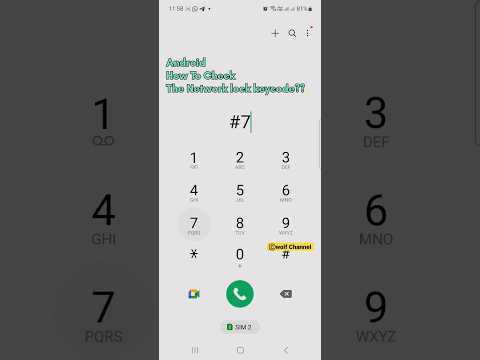
For enterprise-level fleet management or users seeking high-speed verification, AI-driven IMEI databases offer the most efficient route. These platforms use automated scripts to query GSMA databases and carrier logs. By obtaining your 15-digit IMEI (dial *#06#), you can input this data into a verification tool. These tools analyze the Device Management (DM) flags to confirm if the unlock command has been pushed to the device via a firmware update.
AI Implementation Score: Verification Methods
The following table evaluates the efficiency and automation potential of different check methods based on our Smart AI Fix benchmarks:
| Method | Automation Level | Accuracy | AI Utility |
|---|---|---|---|
| Settings Check | Low | 85% | Low |
| SIM Swap | Manual | 100% | N/A |
| IMEI API Query | High | 98% | High |
For those looking to maximize software flexibility, ensuring your Android device is unlocked is the first step in creating a truly customizable, automated mobile environment. By removing carrier-imposed software limitations, you allow for better integration with third-party automation tools and specialized network configurations.
