
Monitoring IoT Longevity: How to Check AirTag Battery Health Level

Optimizing the lifecycle of your hardware is a cornerstone of maintaining a seamless AI-driven smart home ecosystem. While the Apple AirTag is a remarkably efficient piece of tracking technology, its reliance on a replaceable CR2032 lithium 3V coin battery requires periodic oversight to ensure your automated tracking routines remain uninterrupted. Apple recommends replacing the battery once per year under standard usage conditions, but software updates have changed how users interface with this data.
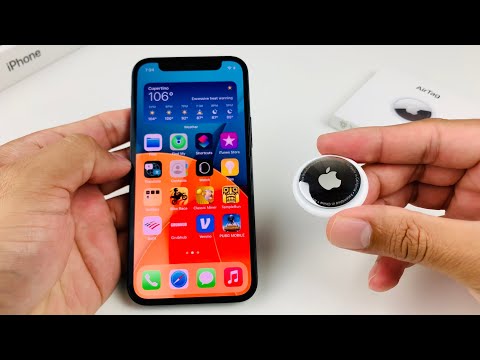
The Technical Shift in Battery Monitoring

In previous iterations of iOS, the Find My app displayed a small battery icon resembling a fuel gauge. However, in recent software optimizations (iOS 15.6 and later), Apple transitioned to a notification-based system driven by efficiency algorithms. Instead of a fluctuating percentage—which can be inaccurate for coin-cell batteries due to voltage curves—the system now only displays a "Low Battery" banner when the power level reaches a critical threshold (typically below 15-20%).
To check the status of your AirTag battery health, follow these precise steps within the Find My ecosystem:
1. Launch the Find My application on your iPhone or iPad.
2. Navigate to the "Items" tab located in the bottom navigation bar.
3. Select the specific AirTag you wish to inspect.
4. If the battery is healthy, you will see the location and "Directions" or "Find" options. If the battery is failing, a red battery icon and a "Low Battery" label will appear immediately under the AirTag's name.
Advanced Diagnostics and Replacement

For users looking to automate their maintenance schedules, it is important to note that the Apple ecosystem uses proactive push notifications to alert you when a battery is nearing its end-of-life. This ensures that your automation triggers and "Left Behind" alerts do not fail at a critical moment. When the alert is triggered, Apple recommends avoiding CR2032 batteries with bitterant coatings, as the coating can interfere with the physical contact points and lead to connectivity failures.
AI Implementation Score
At Smart AI Fix, we evaluate how features utilize background processing and machine learning to improve user experience. The AirTag battery management system is designed for "invisible" maintenance.
| Metric | Score (1-10) | Technical Reasoning |
|---|---|---|
| Predictive Alerting | 9/10 | System analyzes voltage drop to predict failure before it occurs. |
| UI Efficiency | 7/10 | Simplification removes clutter but limits manual "on-demand" checks. |
| Resource Optimization | 10/10 | BLE (Bluetooth Low Energy) stacks minimize battery drain during health pings. |
By leveraging automated notifications rather than manual checks, users can focus on higher-level software integrations while the hardware manages its own health reporting. If your AirTag no longer appears in the "Find My" list, it is likely that the battery has reached 0% and requires an immediate swap to restore functionality to your smart asset tracking network.
