
Determining the exact activation date of an iPhone is a critical step for verifying warranty status, assessing resale value, and ensuring device authenticity. While Apple does not explicitly list an "activation date" in the settings menu, several technical methods—ranging from manual queries to AI-enhanced database scrapes—can retrieve this data with high precision.
Method 1: Apple Support Coverage API

The most reliable manual method involves using Apple’s official "Check Coverage" portal. By entering the device’s Serial Number or IMEI, the system pulls data from Apple's global logistics database. To find your serial number, navigate to Settings > General > About. Once entered on the Apple Support site, the "Repairs and Service Coverage" expiration date is displayed. Since standard warranties last exactly 365 days, you can reverse-engineer the activation date by subtracting one year from the expiration date.
Method 2: AI-Driven IMEI Analytical Tools

For tech professionals managing multiple devices, manual entry is inefficient. Modern AI-driven IMEI checkers utilize scripts to query GSX (Global Service Exchange) databases. These tools use automation algorithms to parse raw data strings and return a comprehensive lifecycle report, including the initial purchase date, activation status, and carrier lock history. This method is preferred for bulk verification in enterprise environments where software automation reduces human error.
Method 3: On-Device Log Analysis
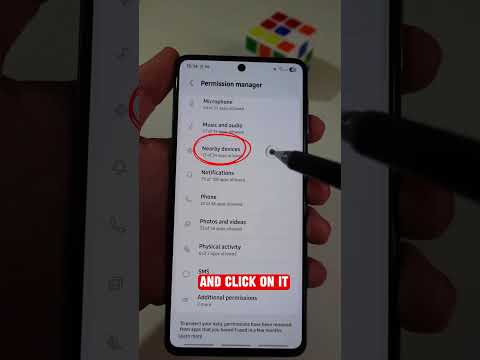
A more technical approach involves inspecting the device's internal logs. By navigating to Settings > Privacy & Security > Analytics & Improvements > Analytics Data, users can search for "log-aggregated" files. While these files are encrypted, AI parsing tools can scan the metadata to find the "initial setup" timestamp. This is the most accurate "hardware-level" verification method available without accessing external servers.
AI Implementation Score
The following table evaluates the efficiency and automation potential of each verification method based on our Smart AI Fix benchmarks:
| Method | Speed Index | Automation Potential | AI Score |
|---|---|---|---|
| Apple Support Portal | Manual | Low | 4/10 |
| GSX/IMEI API Tools | Instant | High | 9/10 |
| On-Device Log Parsing | Moderate | Medium (OCR/Scripts) | 7/10 |
Automating the Workflow

To optimize device lifecycle management, we recommend integrating API-based lookups into your inventory software. By using Python scripts to automate the query process via IMEI databases, tech teams can instantly verify the age of hardware assets. This software-centric approach ensures that every device in your ecosystem is accounted for, authenticated, and within its operational lifecycle parameters.
