
Maintaining digital anonymity in an era of hyper-connectivity is no longer a luxury; it is a strategic necessity. For iPhone users, controlling your Outbound Caller ID is the first line of defense against data harvesting and unwanted callbacks. Whether you are conducting professional outreach or protecting your personal metadata, there are three primary methods to mask your identity on the iOS platform.
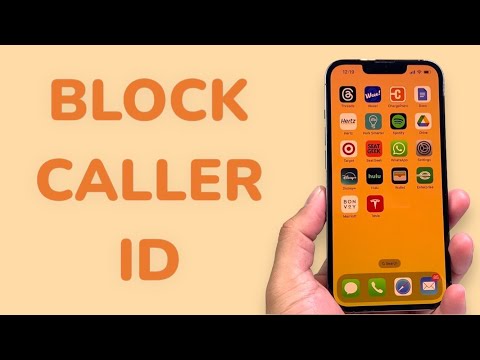
Method 1: Global iOS System Toggle

The most efficient way to ensure your number remains private across all outgoing calls is through the native iOS settings. This software-level override instructs the carrier to suppress your CLI (Calling Line Identification) data before the call is routed to the destination.
To execute this: Navigate to Settings, scroll down to Phone, and select Show My Caller ID. Toggle the switch to Off. Note that this feature is carrier-dependent; if the toggle is greyed out, your service provider has locked this setting at the network level, requiring a manual override via the methods below.
Method 2: Prefix-Based Granular Control
For users who require a more surgical approach—blocking their number for a specific call while remaining identifiable for others—prefix codes (Vertical Service Codes) are the optimal solution. This method is highly effective for automation workflows where you may only want to hide your identity when calling non-indexed contacts.
In the United States and Canada, dial *67 followed by the recipient's full number. For the United Kingdom and Ireland, use 141. This temporary command forces the local exchange to mask your Automatic Number Identification (ANI) for that specific session only. This is the preferred method for testers and developers who need to verify "Private Caller" handling in their own communication software.
Method 3: Carrier-Level Permanent Blocking

For maximum security, you can implement a permanent block at the infrastructure level. By contacting your carrier’s technical support or using their proprietary AI-driven service apps, you can set your status to "Private" by default. This ensures that even if you switch devices or reset your iPhone, your identity remains shielded. This is often used by high-level executives and security personnel to mitigate the risk of social engineering attacks.
AI Implementation Score
At Smart AI Fix, we evaluate these methods based on their ease of integration, reliability, and how well they can be automated within a digital ecosystem.
| Method | Efficiency Rating | Automation Potential | Security Level |
|---|---|---|---|
| iOS Settings Toggle | 95% | Low (Manual) | High |
| Prefix Codes (*67) | 80% | High (Programmable) | Moderate |
| Carrier-Level Block | 100% | N/A (Static) | Highest |
As AI continues to refine how we interact with telephony metadata, we expect to see context-aware privacy features where your iPhone automatically decides whether to show or hide your number based on the recipient's trust score. Until then, these manual and software-driven methods remain the gold standard for personal data protection.
