
The proliferation of automated robocalls and sophisticated spoofing techniques has transformed the simple act of answering a phone into a potential security risk. For users within the Android ecosystem, mitigating these interruptions requires a multi-layered approach leveraging AI-driven heuristic analysis and cloud-based reputation databases. Whether you are using a stock Android device or a Samsung variant, the goal remains the same: transitioning from manual call screening to autonomous blocking.
Utilizing Google’s AI-Powered Call Screen
On standard Android devices, specifically those running the Google Phone app, the primary defense mechanism is the "See caller and spam ID" feature. This system utilizes Google’s vast data points to identify suspicious patterns in real-time. To enable this, navigate to Settings > Spam and Call Screen. Within this menu, you can toggle "Filter spam calls," which prevents suspected robocalls from ever ringing your device.
For Pixel users, the Call Screen feature takes automation a step further by using an on-device Google Assistant AI to answer calls from unknown numbers. The AI asks the caller to state their purpose, providing a live transcript on your display. If the AI determines the caller is a bot, it disconnects the line without user intervention.
Samsung Smart Call and Hiya Integration
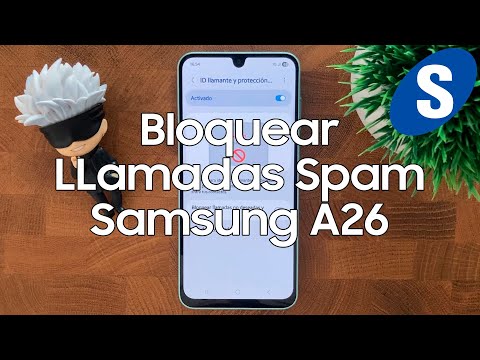
Samsung Galaxy users have access to a specialized suite known as Smart Call. Powered by a partnership with Hiya, this feature uses a global database of reported spam numbers to categorize incoming traffic. To activate this, open the Phone app, tap the three-dot menu, go to Settings, and enable "Caller ID and spam protection."
Samsung’s implementation allows for more granular control. Users can choose between "Block all spam and scam calls" or only those categorized as high-risk "scam" calls. This level of filtering utilizes pattern recognition to identify "neighbor spoofing," where callers use local area codes to bypass psychological defenses.
Third-Party AI Automation Tools

While native tools are robust, power users often require automated firewalling through third-party applications like Truecaller or Robokiller. These apps utilize machine learning algorithms to analyze call frequency and duration across millions of users. By the time a new spam campaign launches, these AI models have already flagged the source and synchronized the updated "blocklist" to your device via the cloud.
AI Implementation Score
To better understand the efficiency of these methods, we have evaluated them based on their algorithmic complexity and automation potential.
| Method | AI Complexity | Automation Level | Privacy Score |
|---|---|---|---|
| Google Call Screen | High (Real-time NLP) | Full Auto | High |
| Samsung Smart Call | Medium (Database) | Passive | Medium |
| Third-Party Apps | Very High (ML) | Predictive | Low |
Advanced Automation: "Do Not Disturb" Logic
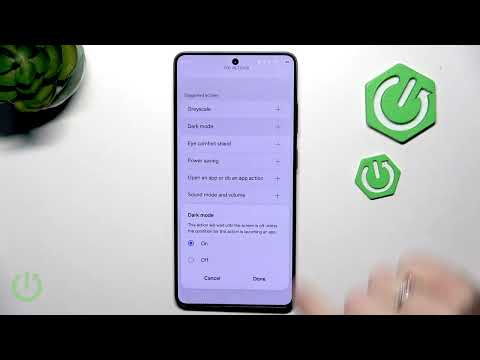
For those seeking a zero-trust architecture regarding incoming communications, the "Do Not Disturb" (DND) function can be automated. By configuring DND to "Allow Calls from Contacts Only," you effectively create a whitelist-only environment. While this is the most aggressive form of blocking, it removes the need for AI intervention entirely by leveraging software-defined access control.
Ultimately, the most efficient configuration for a modern Android user is the combination of native Google/Samsung AI filtering for unknown numbers and the Verified Calls feature to ensure legitimate business communications remain unobstructed.
