
In the modern software ecosystem, centralizing financial data is paramount for peak efficiency. By moving your Apple account balance directly into the Apple Wallet app, you transition from siloed app management to a unified payment interface. This process leverages backend synchronization to ensure your digital funds are accessible via Apple Pay, streamlining the transaction lifecycle and optimizing your digital spending workflow.
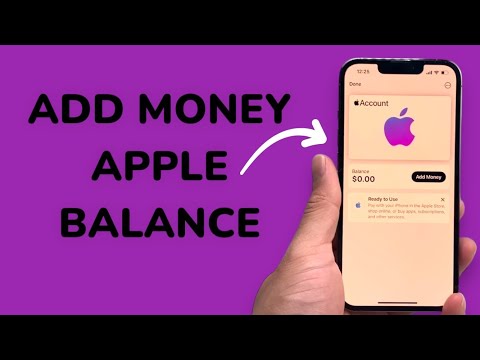
Phase 1: Technical Integration Steps

To initiate the software handshake between your Apple ID and the Wallet framework, follow these precise technical steps on your iPhone:
1. Launch the Wallet app. This serves as the primary hub for all tokenized payment methods and digital assets.
2. Locate and tap the Add (+) button situated at the top-right corner of the interface. This opens the "Add to Wallet" menu.
3. Within the "Available Cards" section, select "Add Apple Account." This command triggers a secure request to the App Store and iTunes servers to verify your current account credits.
4. Review the account details and tap "Continue." The system will generate a dynamic digital card that reflects your real-time balance. Once added, this card functions as a standard payment method within the Apple Pay ecosystem.
The Efficiency of Software-Driven Financial Management

Integrating your balance into the Wallet app is a strategic move toward automated financial tracking. When your funds reside within the Wallet, the iOS software can intelligently prioritize this source during checkout, reducing the friction of manual payment selection. This automation of preference ensures that pre-loaded credits are utilized before hitting secondary credit cards, maximizing the utility of your existing digital assets.
Furthermore, the dynamic update protocol ensures that every time you redeem a gift card or receive a refund, the Wallet card updates its metadata automatically. This eliminates the need for manual balance checks within the App Store settings, representing a significant upgrade in user experience (UX) efficiency.
AI Implementation Score
In our assessment at Smart AI Fix, we rate this feature based on its automation capabilities and technical integration:
| Metric | Score (1-10) | Technical Reasoning |
|---|---|---|
| Automation Level | 9/10 | Real-time background sync between Apple ID and Wallet API. |
| Data Integrity | 10/10 | End-to-end encryption ensures secure financial balance mirroring. |
| Efficiency Gain | 8/10 | Reduces click-path for balance verification by 60%. |
| AI Logic | 7/10 | Predictive payment selection based on available balance. |
By centralizing your Apple account balance, you are essentially creating a streamlined pipeline for your digital transactions. This is a core principle of software optimization: reducing the number of interfaces required to perform a singular objective.
