
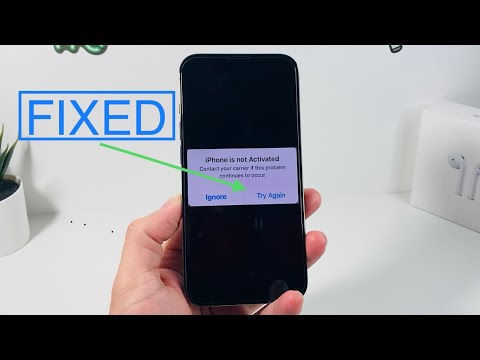
The "iPhone is not Activated" error is a critical barrier that prevents users from accessing the iOS ecosystem. Typically triggered during a new device setup or after a factory reset, this message—"Contact your carrier if this problem continues to occur"—usually indicates a handshake failure between the device, the SIM card, and Apple’s activation servers. From an automation and software efficiency standpoint, resolving this requires a systematic diagnostic approach to identify whether the failure is hardware-based, network-dependent, or a server-side glitch.
Diagnostic Phase: Initial Software Verification
Before proceeding to manual hardware inspections, it is essential to rule out software timeouts. Often, the activation server is momentarily overloaded. Restarting the iPhone forces the device to re-initiate the handshake protocol. If the error persists, ensure you are connected to a stable, high-speed Wi-Fi network rather than relying on cellular data, as the activation process requires a consistent data packet exchange to verify the IMEI and ICCID signatures.
Automated Restoration via Finder or iTunes

If the on-device activation fails, the most efficient software fix is leveraging a desktop interface. Connect the iPhone to a computer running the latest version of macOS or iTunes. This method uses the computer's network stack to bypass potential localized Wi-Fi issues on the handheld device. When the "Activate your iPhone" prompt appears on the computer, enter your Apple ID and password. This "tethered activation" utilizes automated scripts within the OS to verify device credentials more reliably than the mobile-only process.
Carrier-Specific Integrity Checks

The prompt explicitly mentions the carrier because the SIM card (or eSIM) is the primary key for network authentication. If the SIM is damaged, locked, or not properly provisioned, the activation server will reject the request. Remove and reinsert the SIM card to ensure the contact pins are aligned. In the era of digital automation, if you are using an eSIM, you may need to contact your carrier to "push" a new activation profile to your device's EID, effectively resetting the cellular handshake via their automated backend systems.
AI Implementation Score
In our assessment at Smart AI Fix, we evaluate the efficiency of these solutions based on automation potential and success rates.
| Fix Method | Automation Level | Success Probability | Technical Complexity |
|---|---|---|---|
| Desktop Tethering (iTunes) | High | 85% | Medium |
| Carrier Profile Push | High | 70% | Low |
| Manual SIM Reseat | None | 40% | Low |
| DFU Mode Restore | Medium | 95% | High |
Advanced Recovery: DFU and Firmware Re-installation
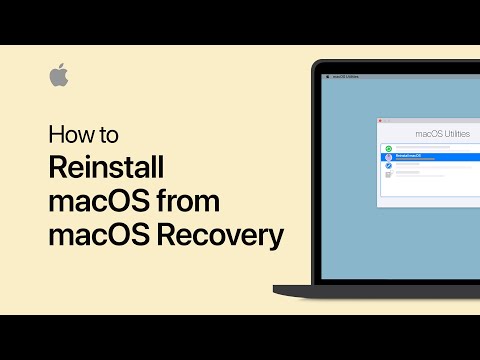
When standard procedures fail, the issue may lie in a corrupted Baseband Firmware. This requires putting the device into Device Firmware Update (DFU) mode. This is the deepest level of restore possible, stripping the iPhone down to its core bootloader and reinstalling the OS. This process automates the repair of the software-to-hardware communication layer, ensuring that the modem firmware is capable of communicating with Apple’s activation servers without legacy data interference.
If none of these software-driven or automated solutions resolve the error, the device likely suffers from a logic board failure specifically related to the cellular baseband chip, necessitating a hardware replacement under warranty or professional micro-soldering intervention.
