
The allure of an ultra-low-cost smartphone, specifically an iPhone 6 listed for just $65 on eBay, presents a compelling yet precarious technical proposition. While the immediate savings are attractive, the potential for underlying hardware degradation, software limitations, and undisclosed faults necessitates a rigorous technical review. This article, informed by principles advocated by 'Smart AI Fix', delves into the critical technical checkpoints required to assess the viability and true value of such an acquisition, moving beyond a superficial unboxing to a substantive functional audit.

| Difficulty Level | Tools Needed | Estimated Time |
|---|---|---|
| Moderate (Requires technical observation & basic diagnostics) | SIM ejector tool, Magnifying glass, Flashlight, USB-Lightning cable, Power adapter, Internet access, Multimeter (optional for advanced battery check), Small Philips screwdriver (optional for component inspection) | 1 - 2 Hours (Initial unboxing, boot, and diagnostic checks) |
Initial Unboxing & Physical Integrity Assessment
Packaging and Initial Presentation
Upon receiving the package, the first technical indicator is the shipping integrity. Was it adequately protected? Damage during transit can introduce new variables to an already potentially compromised device. The contents typically include the device itself, often a generic charging cable, and a wall adapter. Genuine Apple accessories are highly improbable at this price point; their absence is not a red flag, but their inclusion would warrant scrutiny for authenticity.
External Cosmetic and Structural Examination
A meticulous visual inspection is paramount. Focus on the following:
Screen Integrity: Look for hairline cracks, deep scratches, dead pixels (best observed on a white/black background), and any signs of prior screen replacement. An ill-fitting screen or visible adhesive residue often indicates a non-original, potentially low-quality, replacement. Check for backlight bleed around the edges, particularly noticeable in dark mode.
Chassis Condition: Inspect for dents, bends (a common issue with the iPhone 6), and excessive scuffs. The structural integrity of the aluminum unibody directly impacts internal component stability and future durability.
Port Analysis: Use a flashlight to examine the Lightning port and 3.5mm headphone jack for debris, corrosion, or signs of forced entry. Test the charging connection immediately.
Button Functionality: Systematically test the Power button, Volume Up/Down, and Home button (including Touch ID sensor depression). Ensure tactile feedback and consistent response.
SIM Tray: Verify the tray ejects smoothly and isn't bent or damaged. This can indicate prior attempts at unauthorized modifications or mishandling.
Core Functionality & Software Diagnostics

Boot-Up Sequence and Display Performance
Power on the device. Observe the Apple logo display. A prolonged boot time or repeated boot loops are immediate red flags. Once booted, navigate through the initial setup. Assess the touch responsiveness and accuracy across the entire display. Pinch-to-zoom and multi-touch gestures should be fluid.
Operating System and Critical Updates
The iPhone 6 is capped at iOS 12. This is a crucial technical limitation affecting app compatibility, security updates, and performance with modern applications. Navigate to Settings > General > About to verify the installed iOS version. Ensure it's not a jailbroken device unless that was an explicit (and risky) intention. While iOS 12 still supports many core functions, newer apps or security patches will be unavailable, presenting a significant long-term usability constraint.
Battery Health Assessment
One of the most critical aspects for an older device. Go to Settings > Battery > Battery Health. Note the Maximum Capacity (%). Anything below 80% indicates significant degradation and will result in poor battery life and potential performance throttling (CPU speed reduction) by iOS's power management features. A "Service" message mandates replacement. At $65, a compromised battery is almost guaranteed.
Connectivity Verification
Wi-Fi: Connect to a known good Wi-Fi network. Test browsing speed and stability. Weak signal reception can indicate internal antenna issues.
Bluetooth: Pair with a Bluetooth device (e.g., headphones). Test audio playback and connection stability.
Cellular & SIM Detection: Insert an active SIM card. Verify network detection, signal strength, and attempt a test call. Confirm voice quality and microphone functionality. Ensure the device isn't carrier-locked, a common eBay pitfall.
Camera and Audio System Audit
Open the Camera app. Test both front and rear cameras, ensuring autofocus functions correctly and there are no persistent lens artifacts or blur. Record a short video to check audio input (microphone). Play a sound or music to verify speaker output and headphone jack audio output.
Touch ID and Activation Lock Status
Configure Touch ID. If it fails to register fingerprints or is unresponsive, the Home button module may be damaged or non-original. Critically, during the initial setup process, watch for any prompts related to Activation Lock (Find My iPhone). If the device is iCloud-locked, it is essentially a brick, rendering the $65 a complete loss. Always request the IMEI prior to purchase to check its status via Apple's official tools or reputable third-party services.
Storage and Performance Benchmarking
Verify the advertised storage capacity in Settings > General > iPhone Storage. Perform basic tasks like opening multiple apps, browsing complex webpages, and switching between applications to gauge general performance. Expect noticeable slowdowns compared to modern iPhones, but extreme lag indicates deeper issues.
Pro-Tip: Advanced Component & Device History Diagnostics
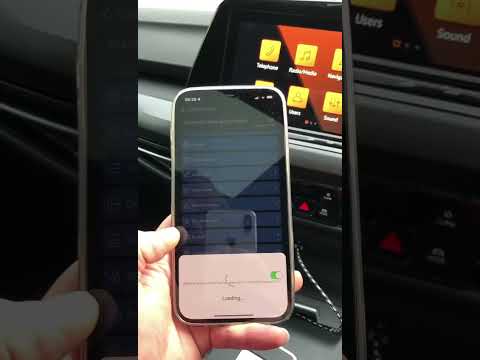
For a truly exhaustive technical assessment of a heavily discounted device like this eBay iPhone 6, leverage third-party diagnostic software beyond what native iOS provides. Tools such as 3uTools (Windows) or iMazing (macOS/Windows) can offer invaluable granular data. These utilities can report the exact battery cycle count, which is a far more accurate indicator of battery health than Apple's percentage. Crucially, they can often detect if core components like the screen, battery, or camera module are non-original (aftermarket) replacements, providing an 'originality' score. This insight is vital for understanding the true condition and potential longevity of the device, revealing whether its low price stems from widespread use of inferior parts rather than just age.
FAQ: Frequently Asked Technical Questions
Is an iPhone 6 still viable for daily use in [Current Year]?
Technically, yes, for very basic tasks like calls, texts, and light web browsing. However, its iOS 12 limitation means many modern applications will either not install, run poorly, or lack critical security updates. It is not recommended for users requiring robust app support or enterprise-level security.
What are the primary technical risks of purchasing a used iPhone 6 from eBay?
The highest risks include Activation Lock (iCloud Lock), a non-functional or severely degraded battery, undisclosed physical damage, carrier lock, and the presence of low-quality aftermarket replacement components (screen, battery, camera) which compromise performance and durability.
Can the iPhone 6's iOS version be upgraded beyond iOS 12?
No. The iPhone 6's hardware architecture does not support later versions of iOS. It has reached its end-of-life for major operating system updates, meaning it will not receive new features or critical security patches released after iOS 12.
How can I verify if an iPhone has Activation Lock before purchasing on eBay?
Always request the IMEI or serial number from the seller. You can then use Apple's official Activation Lock status check page (though this service is sometimes unavailable or requires third-party sites) or other reputable IMEI check services to confirm the device's status. If the seller refuses or provides an invalid number, consider it a significant red flag.
Conclusion
Acquiring a $65 iPhone 6 from eBay is a venture fraught with technical uncertainties. While the low price might seem appealing, the thorough diagnostic process detailed above is essential to prevent it from becoming a costly paperweight. The iOS 12 limitation, likely compromised battery health, and high probability of aftermarket components mean that its utility is severely constrained compared to even budget Android alternatives in the current market. As 'Smart AI Fix' emphasizes, proactive and detailed technical inspection is the only defense against problematic acquisitions in the used device market. For casual users with minimal demands and an understanding of its limitations, it might serve as a secondary device; otherwise, the technical compromises outweigh the initial cost savings.
