
The "Liquid Detected in USB-C Connector" alert is a critical safety mechanism integrated into modern smartphone firmware, designed to prevent electrochemical corrosion and short-circuiting. While primarily a hardware-triggered event, the management of this error involves sophisticated AI-driven power management algorithms that monitor impedance levels across the port’s pins. When moisture or debris alters the electrical resistance, the operating system immediately disables the power delivery (PD) controller to protect the motherboard.

Understanding the Logic Behind the Moisture Detection Alert

Modern mobile OS architectures—specifically those in the Android and iOS ecosystems—utilize a heuristic-based monitoring system for the USB-C subsystem. The alert triggers when the CC (Configuration Channel) pins detect a non-standard resistance value. If the moisture is verified, the system enters a "protection state," blocking charging and data transfer. However, software glitches or cached sensor data can sometimes keep the device in this state even after the port is dry, requiring a software-level recalibration.
Phase 1: Physical Mitigation and Evaporation

Before addressing software-side automation, the physical integrity of the port must be established. Disconnect all cables immediately. Do not use compressed air, as this can force moisture deeper into the internal components. Instead, utilize passive evaporation or a desiccant. From a technical efficiency standpoint, placing the device in an area with high airflow is superior to the "rice method," which introduces particulate matter into the USB-C housing.
Phase 2: Resolving Software-Induced False Positives

If the error persists despite a dry port, the issue likely resides in the USB Settings service cache. This is a common failure point in the Android system’s automation layer. To fix this:
- Navigate to Settings > Apps > Show System Apps.
- Locate "USB Settings" or "Android System."
- Clear the Cache and Data.
- Perform a hard reboot to force the AI diagnostic tool to re-scan the hardware impedance.
AI and Automation in Port Diagnostics
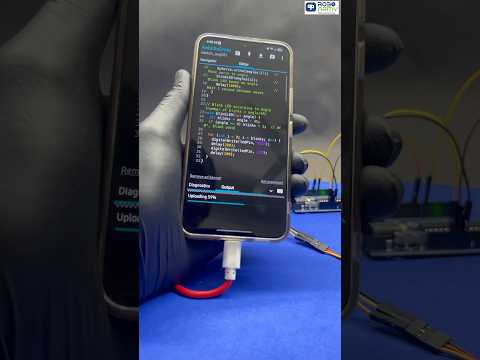
We are seeing an increase in predictive maintenance models within smartphone kernels. These AI models analyze the frequency of moisture alerts to determine if the port is suffering from permanent oxidation rather than temporary moisture. If the automated system detects a recurring pattern of high resistance, it may permanently throttle charging speeds to prevent thermal runaway, a process managed entirely by the onboard Power Management Integrated Circuit (PMIC).
AI Implementation Score
The following table evaluates the efficiency of the "Liquid Detected" safety system through the lens of automated diagnostics.
| Metric | Score (1-10) | Technical Justification |
|---|---|---|
| Automated Protection | 10 | Instantaneous disabling of PD controller prevents hardware failure. |
| Diagnostic Accuracy | 8 | High, though susceptible to false positives from high humidity. |
| Predictive Maintenance | 7 | AI models can now distinguish between liquid and port debris. |
| User Recovery UX | 6 | Software overrides are often buried in system menus, hindering quick fixes. |
Final Protocol: Overriding the Safety Lock

In emergency scenarios where you are certain the port is dry but the AI fail-safe remains active, most devices offer a "Force Charge" option. However, at Smart AI Fix, we recommend using Qi/MagSafe wireless charging as the primary workaround. This bypasses the USB-C physical layer entirely, allowing the AI to continue its background diagnostic routine without risking an electrical arc in the physical port.
