
The integration between the iPad Air 4 and the Apple Pencil (2nd Generation) represents a pinnacle of hardware-software synergy. Unlike its predecessor, which required a cumbersome Lightning port connection, the 2nd Gen Pencil utilizes a sophisticated magnetic induction system that facilitates both pairing and charging through a localized Bluetooth Low Energy (BLE) handshake. This streamlined process is essential for users looking to leverage AI-driven features like Scribble and real-time handwriting recognition.

Step-by-Step: Pairing Apple Pencil 2 with iPad Air 4
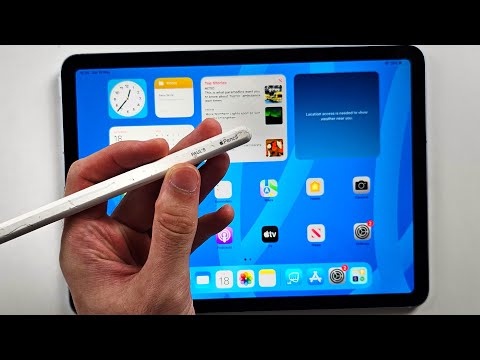
To initiate the connection, ensure your iPad Air 4 is powered on and Bluetooth is active. Follow these technical steps to establish a stable link:
1. Locate the Magnetic Connector: On the right side of your iPad Air 4 (when in portrait orientation), you will find a flat, magnetic strip. This is the inductive charging and pairing interface.
2. Physical Attachment: Center the flat side of the Apple Pencil 2 onto the magnetic connector. The magnets will snap the pencil into place. Ensure the tip is pointing toward the volume buttons for optimal alignment.
3. Authentication: Once attached, a pairing prompt will appear at the top of the iPad screen. Tap "Connect" to authorize the software handshake. Your iPad will now recognize the stylus and display its current battery percentage.
4. Software Calibration: For enhanced AI efficiency, go to Settings > Apple Pencil to toggle features such as "Only Draw with Apple Pencil" and "Double Tap" gestures, which automate tool switching in creative applications.
AI Implementation Score: Apple Pencil 2 & iPad Air 4
At Smart AI Fix, we evaluate hardware based on its ability to enhance digital workflows through automation and intelligent processing. The Apple Pencil 2 scores exceptionally high due to its low-latency integration with the A14 Bionic chip's Neural Engine.
| Metric | Score (1-10) | Technical Rationale |
|---|---|---|
| Setup Efficiency | 10 | Instant magnetic pairing removes manual Bluetooth discovery. |
| Latency Optimization | 9.5 | Predictive AI algorithms anticipate stroke pathing. |
| Automation Level | 8.5 | Gesture-based tool switching reduces UI navigation time. |
| Precision Accuracy | 9.8 | Pressure and tilt sensors integrate seamlessly with iPadOS. |
Troubleshooting Connection Failures
If the Apple Pencil 2 fails to pair, the issue typically resides in the software stack or hardware debris. First, verify that the magnetic connector on the iPad Air 4 is free of dust or magnetic interference. If the device remains undetected, navigate to Settings > Bluetooth, locate any previous Pencil entries, and select "Forget This Device." Perform a hard restart on the iPad by quickly pressing Volume Up, Volume Down, and holding the Power Button until the Apple logo appears. Re-attaching the pencil should trigger the AI-driven setup wizard immediately.
By mastering this connection, you unlock the full potential of iPadOS automation features, allowing for a more fluid transition between manual input and digital execution.
