
The integration of Near Field Communication (NFC) on iPhone has evolved from a simple payment mechanism into a sophisticated gateway for AI-driven automation and software efficiency. Unlike legacy systems that required manual toggling, modern iOS architecture treats NFC as a background protocol, optimized for low power consumption and high-speed data exchange.
Understanding the NFC Hardware Architecture on iOS
For iPhone XS, XR, and all subsequent models (including iPhone 11 through 15 Pro), Apple utilizes Background Tag Reading. This means the NFC controller is constantly scanning for signals without requiring the user to open a specific application or toggle a setting. For older hardware, specifically the iPhone 7, 8, and X, NFC functionality is present but requires manual activation via the NFC Tag Reader shortcut in the Control Center.
How to Enable and Trigger NFC Operations
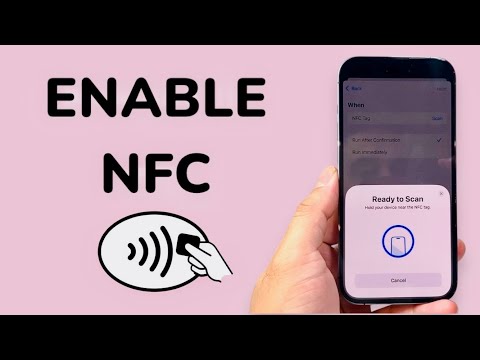
To leverage NFC for automation or data exchange, ensure your device is running the latest version of iOS. On modern devices, there is no "Enable" switch in the Settings menu; the hardware is active by default. To interact with an NFC-enabled object:
1. Unlock your iPhone: For security reasons, the NFC controller remains dormant while the screen is off or the device is locked (unless using Express Cards).
2. Positioning: The NFC antenna is located at the top edge of the iPhone, near the camera module. Tap the top-rear of the device against the tag or terminal.
3. Action: A notification banner will appear at the top of the screen. Tap the banner to execute the payload or trigger the associated Shortcuts automation.
AI and Automation: The "Smart AI Fix" Approach
At Smart AI Fix, we view NFC not just as a payment tool, but as a physical trigger for AI-enhanced workflows. By using the "Shortcuts" app, you can create a "Personal Automation" triggered by an NFC tag. For instance, scanning a tag on your office desk can automatically summarize your unread emails using an LLM (Large Language Model) integration or initiate a focus-mode script that optimizes your desktop environment.
AI Implementation Score: NFC Integration
Evaluating the efficiency and automation potential of NFC on iPhone:
| Metric | Score (1-10) | Analysis |
|---|---|---|
| Automation Potential | 9.5 | High synergy with iOS Shortcuts and third-party AI APIs. |
| User Friction | 1.0 | Minimal effort required; background reading is seamless. |
| Data Transfer Efficiency | 8.0 | Excellent for small payloads and authentication tokens. |
| AI Integration Ease | 8.5 | Native support for triggering complex automated scripts. |
Security Protocols and Secure Enclave

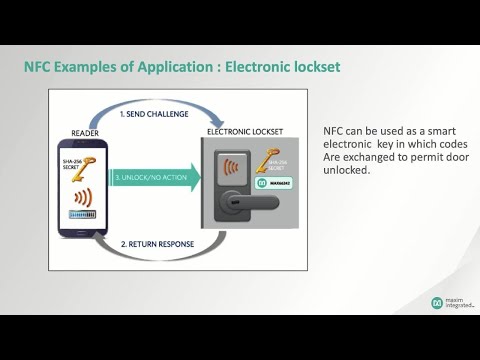
Security is managed via the Secure Enclave, ensuring that sensitive data—such as Apple Pay credentials or encrypted building access codes—never leaves the local hardware. When an NFC tag is scanned, the iPhone validates the signature before executing any software commands, preventing unauthorized script execution or data harvesting. To maintain high-level security, avoid scanning unknown tags in public spaces, as these can be used for sophisticated "NFC phishing" attempts to redirect your browser to malicious URLs.
