
The iPhone "Emergency SOS" screen freeze is a critical system hang that disrupts the core operational framework of iOS. Typically triggered by firmware corruption, interrupted updates, or accidental mechanical pressure on the side buttons, this loop prevents users from accessing the UI. At Smart AI Fix, we prioritize high-efficiency software solutions over manual trial-and-error. Below are the technical protocols to resolve this issue, ranging from manual resets to automated AI-driven recovery.
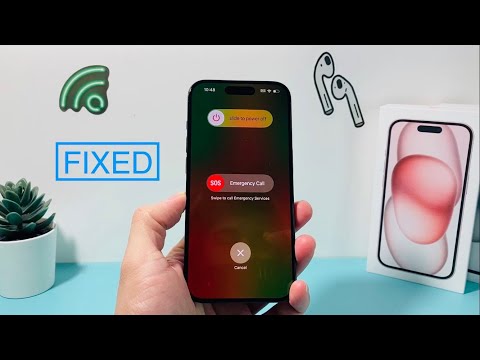
1. The Hard Reset Protocol (Manual Override)

Before deploying software-based automation, a manual force restart can clear the volatile memory (RAM) and terminate the stuck SOS process. This does not delete data but forces the Kernel to reboot.
For iPhone 8 and later (including iPhone 15 Pro): Quick-press the Volume Up button, quick-press the Volume Down button, and then press and hold the Side Power Button. Continue holding even when the SOS slider appears; release only when the Apple logo manifests on the display.
2. Automated System Repair via AI-Driven Tools
When a manual reset fails, the issue usually resides in the iOS System File System. Traditional methods like iTunes restores often result in data loss. However, modern automated repair tools (such as ReiBoot or AnyFix) utilize algorithmic diagnostics to identify the specific corrupted string causing the SOS loop.
These tools automate the Firmware Verification process, downloading the specific IPSW file required for your device architecture and "patching" the system without a full wipe. This is the preferred method for efficiency and data integrity.
3. Recovery Mode and DFU Integration
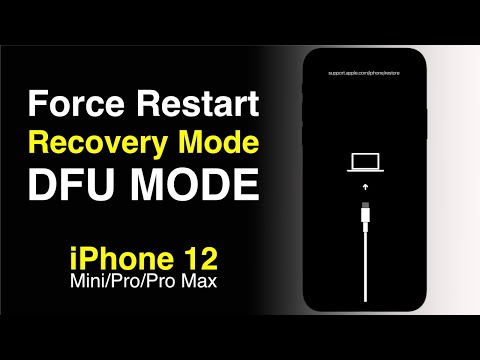
If the device remains unresponsive to standard inputs, you must interface with the device at a bootloader level. Connect the iPhone to a workstation and enter Recovery Mode. Using a computer, you can attempt an "Update" rather than a "Restore." This re-installs the operating system while attempting to preserve user data. For deep-seated software conflicts, DFU (Device Firmware Update) mode is the final frontier, as it bypasses the iBoot bootloader to interact directly with the hardware.
AI Implementation Score: Repair Efficiency
The following table evaluates the recovery methods based on their technical efficiency and the degree of automation involved.
| Method | Success Rate | Automation Level | Data Safety |
|---|---|---|---|
| Force Restart | 45% | Manual | High |
| AI Repair Software | 92% | High (Automated) | Maximum |
| iTunes Restore | 70% | Semi-Automated | Low (Wipe Risk) |
| DFU Mode | 98% | Manual/Deep | Neutral |
4. Analyzing Mechanical Failure

If software intervention fails to resolve the SOS screen, the Smart AI Fix diagnostic suggests a hardware-level "ghost input." If the Volume or Side buttons are physically depressed or have internal moisture damage, the system will continuously trigger the SOS signal. In this scenario, automated software cannot fix a mechanical short-circuit; a physical inspection of the button flex cables is required.
By leveraging automated diagnostic tools, you minimize downtime and reduce the risk of permanent data loss associated with manual firmware flashing. For most users, the transition from manual reset to software-driven automation is the most efficient path to recovery.
