
When preparing to decommission hardware for resale or transfer, ensuring a clean break in the digital ecosystem is paramount. Unlike complex compute units, the Apple Pencil does not house a local operating system with a dedicated "Reset" button. Instead, the factory reset process is managed through the host iPad’s Bluetooth stack, effectively severing the cryptographic handshake between the stylus and the tablet.
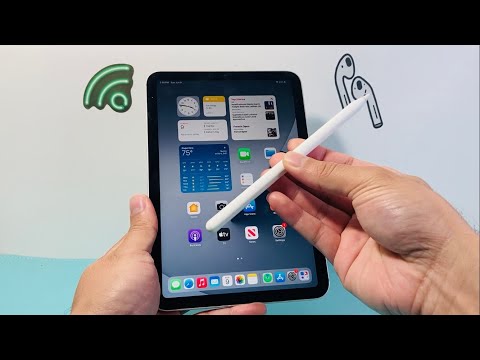
Phase 1: The Software Unpairing Process

To initiate a factory reset, you must remove the device from your iPad’s hardware registry. This ensures that the next user can establish a fresh connection without interference from previous pairing tokens. Follow these steps for Apple Pencil (1st Gen, 2nd Gen, and USB-C):
1. Navigate to the Settings app on your iPad.
2. Access the Bluetooth menu.
3. Locate your Apple Pencil in the list of "My Devices."
4. Tap the "i" (Information) icon next to the device name.
5. Select "Forget This Device" and confirm the action.
Once confirmed, the Apple Pencil is digitally "wiped" of its association with your Apple ID and iPad hardware. For Apple Pencil Pro users, this process also detaches the device from the Find My network, which is critical for privacy before a trade-in.
Phase 2: Hardware Maintenance and Verification

After the software unpairing, the physical state of the device should be addressed to ensure maximum efficiency for the next user. Clean the magnetic connectors (on the 2nd Gen and Pro models) with a 70% isopropyl alcohol wipe to ensure seamless inductive charging for the recipient. If you are using an Apple Pencil (1st Gen), ensure the Lightning connector cap is secure and the adapter is included in the transfer.
AI Implementation Score: Apple Pencil Lifecycle
At Smart AI Fix, we evaluate hardware transitions based on how effectively they integrate into automated workflows and sustainable tech cycles.
| Metric | Score (1-10) | Notes |
|---|---|---|
| Unpairing Efficiency | 9/10 | Instantaneous Bluetooth token revocation. |
| Data Privacy | 10/10 | No personal data is stored locally on the stylus. |
| Automation Potential | 7/10 | Requires manual UI interaction; no remote MDM wipe. |
| Hardware Durability | 8/10 | High-quality sensors maintain precision over time. |
Finalizing the Transition

If you are experiencing connectivity glitches and intended to reset the device to "fix" it, the process is the same. After forgetting the device, simply re-attach it to the iPad's magnetic connector or plug it into the port to initiate a forced firmware handshake. This effectively reboots the Pencil's logic board and recalibrates its pressure and tilt sensors for optimized AI-assisted drawing and handwriting recognition.
