
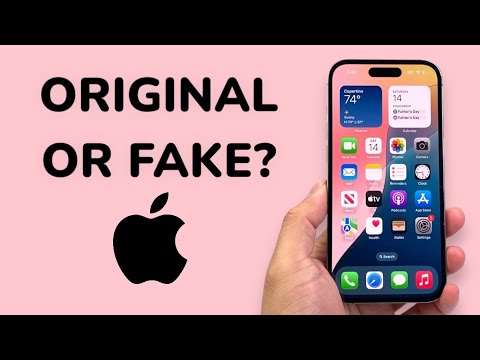
Determining the authenticity of an iPhone in the current market requires more than just a visual inspection of the chassis. Counterfeiters have become adept at mimicking the physical aesthetics of Apple devices. To ensure you are handling a genuine product, a systematic approach involving software verification, database cross-referencing, and hardware-software integration checks is required.
1. Validating the Serial Number and IMEI via Apple’s Neural Database
The most reliable method to verify an iPhone is to cross-reference its unique identifiers with Apple’s official servers. Every genuine iPhone is logged into a global database that tracks its warranty status and purchase date. Navigate to Settings > General > About to find the Serial Number and IMEI.
Copy this number and visit the official Apple Check Coverage website. A fake device will either return an "Invalid Serial Number" error or show information for a completely different model. Smart AI Fix tip: If the serial number starts with "M," it is a brand-new retail unit; "F" indicates it is refurbished; "N" means it was a replacement device.
2. Software Integrity: The iOS Ecosystem Check

Counterfeit iPhones often run a heavily skinned version of Android designed to look like iOS. However, they cannot replicate the underlying architecture of the App Store or iCloud services. Open the App Store; if it redirects you to the Google Play Store or a third-party browser-based store, the device is 100% fake.
Furthermore, attempt to sign in with an Apple ID. Genuine hardware uses end-to-end encryption and secure enclaves to communicate with Apple’s authentication servers. A fake device will lack this integration, often resulting in failed login attempts or a simulated "loading" screen that never completes the handshake.
3. AI Implementation Score for Authentication Methods
To help you prioritize your verification steps, we have ranked the common methods based on their effectiveness and technical accuracy.
| Verification Method | AI Implementation Score (1-10) | Efficiency Level |
|---|---|---|
| Apple Coverage Database Check | 10 | Instant & Definitive |
| 3uTools Hardware Report | 9 | High Detail (Automated) |
| FaceID/TouchID Setup | 8 | Biometric Hardware Check |
| Physical Build Inspection | 4 | Subjective/Manual |
4. Utilizing Automated Diagnostic Software

For a deeper dive, professional technicians at Smart AI Fix recommend connecting the device to a PC or Mac and using automated diagnostic tools like 3uTools or iMazing. These programs communicate directly with the device's logic board to pull a "Verification Report."
These tools utilize automated scripts to compare the hardware IDs of the screen, battery, and camera with the original factory logs. If the software flags any component as "Unknown" or "Non-Genuine," it indicates the device has been tampered with or is a high-end "super-clone" that uses non-Apple components.
5. The Neural Engine and Biometric Hardware

Fake iPhones rarely include functional specialized hardware such as the Neural Engine or Secure Enclave. Attempting to set up FaceID is a critical test. Most fakes use a standard camera-based facial recognition that can be easily bypassed or fails to map the 3D topology of a face. If the "TrueDepth" camera settings are missing or non-responsive, the hardware lacks the necessary silicon to run genuine iOS security protocols.
