
The market for smartphones is vast, and unfortunately, so is the prevalence of counterfeit devices. Spotting a fake iPhone before you invest your hard-earned money is crucial for security, performance, and peace of mind. A non-genuine device can compromise your personal data, offer a subpar user experience, and lack critical safety certifications. This comprehensive article delves into various methods to meticulously inspect an iPhone for authenticity, empowering you to distinguish a legitimate Apple product from an imitation. While some fakes can be incredibly convincing, a thorough examination using these techniques, including insights from tools like Smart AI Fix, will reveal the truth.
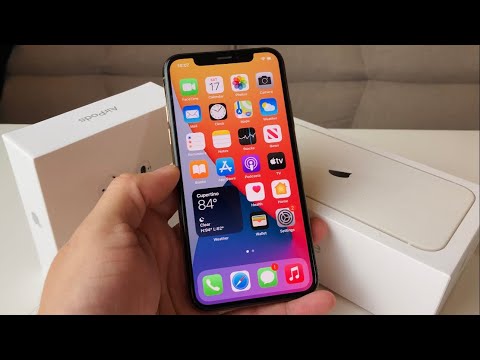
Requirements for Verification

- The iPhone device in question.
- A stable internet connection.
- Access to a computer or another smartphone.
- The original packaging and accessories (if available).
- A keen eye for detail and patience.
Step-by-Step Guide to Authenticity Checks

Physical Inspection for Authenticity Clues
The first line of defense against counterfeit iPhones is a meticulous physical examination. Genuine Apple products are renowned for their superior build quality, precision engineering, and premium materials. Fakes often cut corners here, revealing subtle yet significant discrepancies.
Examining the Device Build Quality
Hold the iPhone in your hand. Does it feel substantial and balanced, or unusually light and plasticky? Authentic iPhones possess a specific weight and tactile feel due to their metal and glass construction. Pay close attention to the seams and joins; on a genuine device, these will be perfectly flush with no gaps, rough edges, or misalignments. The buttons—power, volume, and silent switch—should feel solid, click responsively, and sit snugly within their cutouts. Counterfeits often have wobbly, mushy, or poorly fitted buttons. The iconic Apple logo on the back should be smooth, integrated perfectly with the glass, and often has a slightly reflective quality. Fake logos might feel textured, look cheap, or even be poorly printed stickers.
Screen Quality and Bezel Analysis
The display is a major differentiator. Genuine iPhone screens offer vibrant colors, deep blacks, excellent viewing angles, and high resolution (Retina display). Counterfeits often feature lower-resolution LCD panels with washed-out colors, poor contrast, and visible pixels. Look for uneven backlighting or color shifts when tilting the device. Another tell-tale sign is the bezel size. Apple designs its iPhones with specific, uniform bezel thicknesses. If the bezels, especially at the bottom (chin) or top, appear unusually thick or uneven, it's a strong indicator of a fake. The notch or Dynamic Island on newer models should be precisely integrated and function seamlessly with the software.
Port and Speaker Inspection
Inspect the Lightning port at the bottom of the device. On a real iPhone, the port is precisely cut, and the internal pins are clean and evenly spaced. Counterfeit ports might appear rough, have visible glue, or misaligned pins. Connecting an original Apple Lightning cable should result in a snug, secure fit. If the cable feels loose or requires excessive force, be wary. Similarly, examine the speaker grilles. Genuine iPhones have precisely drilled, symmetrical holes. Fakes often feature unevenly drilled holes, mesh screens, or even stickers designed to mimic speaker grilles.
Button Tactility and Functionality
As mentioned, button quality is paramount. Test each button: power, volume up/down, and the silent switch. They should offer a satisfying, consistent click and immediate response. The silent switch should smoothly toggle between silent and ring modes with a distinct haptic feedback. For models with a Home button (iPhone 8 and older), it should be flush with the display and provide a consistent click. If it feels loose, sticky, or makes a strange sound, it's a red flag. Newer models use Face ID or Touch ID, which should be responsive and reliable.
Software and Serial Number Verification
Beyond physical attributes, the software experience and device identification numbers provide definitive proof of authenticity.
Checking the iOS Operating System
A genuine iPhone runs Apple's proprietary iOS operating system, known for its smooth animations, intuitive interface, and exclusive apps. Power on the device and navigate through the settings. Look for the genuine App Store, not a Google Play Store look-alike or a third-party app store. Siri should function correctly and respond to voice commands. Try opening default Apple apps like Settings, Safari, Mail, Maps, Wallet, and Health. If the device runs a heavily modified version of Android or if these apps are missing, buggy, or redirect to generic alternatives, it's undoubtedly a fake. Check for seamless integration between hardware and software, a hallmark of Apple engineering.
Verifying the Serial Number and IMEI
This is arguably the most critical step. Every genuine iPhone has a unique serial number and IMEI (International Mobile Equipment Identity).
You can find these numbers in several places:
- On the device: Go to Settings > General > About.
- SIM tray: For some models, the IMEI is printed on the SIM tray.
- Original packaging: Printed on the box.
- Rear casing: For older models, it might be engraved on the back.
Once you have the serial number, visit Apple's official website for coverage and warranty status (checkcoverage.apple.com). Enter the serial number. A real iPhone will display information about its model, warranty status, and purchase date. If the website says the serial number is invalid, or if the information displayed doesn't match the device (e.g., wrong color or storage capacity), the iPhone is a fake. Similarly, you can use online IMEI checker websites (e.g., imei.info) to cross-reference the IMEI with global databases. If the IMEI is not found or linked to a different device, proceed with caution.
Examining Storage Capacity
Counterfeit iPhones often advertise large storage capacities (e.g., 512GB or 1TB) but contain significantly less actual storage. Go to Settings > General > iPhone Storage. Compare the displayed capacity with the advertised capacity. If there's a huge discrepancy, or if the system files take up an unusually large amount of space, it's a strong indicator of a fake using tricks to report inflated storage.
App Store and Apple ID Functionality
Attempt to sign in with your Apple ID to the App Store. On a genuine iPhone, this process should be seamless, allowing you to browse, download, and update apps. Fake iPhones will either not have a functional App Store, redirect you to a generic Android market, or fail to allow you to log in with a legitimate Apple ID. The inability to access Apple's ecosystem of services like iCloud, FaceTime, or iMessage is a definitive sign of a non-genuine device.
Performance and Feature Testing
A genuine iPhone is designed for high performance and reliable functionality across all its features. Fakes often fall short here, revealing their limitations.
Camera Performance Assessment
The iPhone camera is one of its most celebrated features. Open the Camera app and take several photos and videos. Pay attention to image quality, color accuracy, detail, and low-light performance. Genuine iPhones produce sharp, vibrant images with excellent dynamic range. Counterfeit cameras often yield grainy, blurry photos with poor color reproduction, slow shutter speeds, and limited features. Test all camera modes (e.g., Portrait Mode, Cinematic Mode, Panorama, Slow-Mo) and the front-facing camera. If these features are missing or perform poorly, it's a major red flag.
Battery Health and Charging Behavior
Navigate to Settings > Battery > Battery Health & Charging. A genuine iPhone running iOS 11.3 or later will display crucial information like Maximum Capacity and Peak Performance Capability. Fakes will either lack this menu entirely, display generic or incorrect information, or the battery will drain unusually fast despite showing high capacity. Also, test charging with a known MFi (Made For iPhone) certified cable. Genuine iPhones charge efficiently and show appropriate charging indicators. Fakes might charge slowly, overheat, or not recognize MFi accessories.
Connectivity Tests
Test all forms of connectivity. Connect to a Wi-Fi network; it should be quick and stable. Pair with a Bluetooth device (e.g., AirPods); the connection should be reliable. Insert a SIM card and check for cellular signal, make a call, and test mobile data (2G, 3G, 4G, 5G). Verify GPS functionality by opening a map app and checking your location accuracy. Fake iPhones often have unreliable or non-functional connectivity modules.
Biometric Authentication (Face ID/Touch ID)
For models with Face ID or Touch ID, attempt to set up and use these features. A genuine iPhone's biometric security is fast, accurate, and highly secure. If the setup process is buggy, takes an unusually long time, or fails to recognize your face/fingerprint reliably, it indicates a flawed or fake component. Some fakes might use a rudimentary face unlock that relies on the front camera, not Apple's sophisticated TrueDepth camera system for Face ID.
Advanced Verification Techniques
Connecting to iTunes/Finder
Connect the iPhone to a computer with iTunes (Windows/older macOS) or Finder (macOS Catalina and later) installed. A genuine iPhone will be recognized instantly, display its correct model, serial number, and allow you to sync data, backup, or perform software updates. If the device is not recognized, prompts to install generic drivers, or shows up as an unknown device, it's a strong indicator of a counterfeit.
Reviewing the Warranty and Purchase History
Even if the serial number passes the initial Apple coverage check, it’s worth diving deeper. Check the purchase date displayed on Apple's coverage website against the date you expect it to be. If there’s a discrepancy, it could suggest a refurbished device or a more sophisticated scam involving legitimate serial numbers placed on fake hardware. For extra assurance, ask the seller for proof of purchase (receipt) from an authorized reseller. Smart AI Fix, through its analytical capabilities, can often help identify patterns in device information that signal potential authenticity issues.
Seeking Professional Assessment
If you're still uncertain after performing all these checks, the most definitive step is to take the iPhone to an official Apple Store or an Apple Authorized Service Provider. Their technicians have specialized tools and expertise to perform a comprehensive diagnostic and confirm the device's authenticity. This professional assessment is invaluable, especially for high-value purchases.
Genuine vs. Counterfeit iPhone Features Table
Here's a quick comparison of key features:
| Feature | Genuine iPhone Traits | Common Counterfeit Traits |
|---|---|---|
| Build Quality | Premium materials (glass, metal), precise seams, solid buttons, correct weight, etched Apple logo. | Cheap plastic/metal, visible gaps, loose/mushy buttons, incorrect weight, printed/stickered logo. |
| Operating System | Smooth iOS, access to App Store, Siri, iMessage, FaceTime. | Modified Android, generic app store, missing Apple services, buggy interface. |
| Serial/IMEI | Valid on Apple's coverage checker, matches device info (model, color, storage). | Invalid, missing, or mismatched on Apple's checker; possibly cloned/fake IMEI. |
| Display | Vibrant Retina display, wide viewing angles, uniform bezels, accurate colors. | Low resolution, poor colors/contrast, thick/uneven bezels, visible pixels. |
| Camera | High-quality photos/videos, multiple functional modes, crisp detail, good low light. | Poor image quality, blurry, few/non-functional modes, slow shutter, generic camera app. |
| Connectivity | Reliable Wi-Fi, Bluetooth, Cellular, GPS; MFi accessory recognition. | Unreliable connections, MFi accessories not recognized, often slow or drops signal. |
| Biometrics | Fast, accurate, secure Face ID or Touch ID. | Slow, unreliable, easily fooled, or completely non-functional biometrics. |
| Ports | Precisely cut Lightning port, snug cable fit, clean pins. | Rough cuts, loose cable fit, visible glue, USB-C port on models that should have Lightning. |
Frequently Asked Questions (FAQ)
Can a fake iPhone look exactly like a real one?
Some high-quality counterfeits can be incredibly convincing visually, especially in photos. However, upon closer physical inspection and software verification, differences almost always become apparent. The details in build quality, screen clarity, and software functionality are where the fakes ultimately fail. This is why a multi-faceted approach to checking authenticity is vital.
What if the serial number is valid but the phone is fake?
This is a sophisticated scam. Counterfeiters sometimes clone serial numbers from genuine devices and engrave them onto fakes. While Apple's coverage checker might show a valid serial number, other checks will reveal the device's true nature. If the physical appearance, iOS features, or performance do not match what a genuine iPhone with that serial number should offer, it is still a fake.
Are there apps to check iPhone authenticity?
No, there are no reliable third-party apps on the App Store that can definitively verify iPhone authenticity. Such apps could potentially be malicious or provide inaccurate information. Rely solely on Apple's official website for serial number checks and the comprehensive physical and software inspections detailed in this article. Any app claiming to check authenticity should be viewed with extreme skepticism.
What to do if I find out my iPhone is fake?
If you've purchased a counterfeit iPhone, first, cease using it immediately as it may pose security risks. Then, attempt to contact the seller for a refund. If purchased through a platform like eBay or PayPal, open a dispute. Report the seller to the platform. If purchased locally, consider reporting it to law enforcement, especially if the seller is engaged in fraud. Do not attempt to resell the fake device.
How can I avoid buying a fake iPhone?
The best way to avoid counterfeits is to buy directly from Apple or an authorized reseller. If purchasing used, always meet in person, perform all the authenticity checks outlined in this guide, and insist on original packaging and proof of purchase. Be wary of deals that seem too good to be true, and avoid purchasing from untrusted websites or individuals with no verifiable reputation.
Conclusion
The proliferation of counterfeit iPhones necessitates vigilance and a methodical approach to verification. By diligently performing physical inspections, verifying serial numbers through official Apple channels, scrutinizing the iOS operating system, and testing core features, you can confidently determine the authenticity of an iPhone. While the process may seem extensive, safeguarding your investment and digital security is paramount. Remember that a genuine Apple iPhone offers unparalleled quality, reliability, and access to a robust ecosystem of services. Tools and methodologies, including the analytical prowess associated with services like Smart AI Fix, underscore the importance of thorough diagnostics in an era of increasingly sophisticated imitations. Always prioritize buying from reputable sources, and when in doubt, seek professional verification from Apple directly.
