
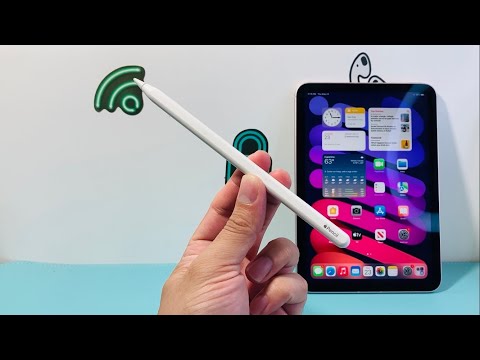
The marketplace for high-end peripherals has seen a surge in sophisticated "super-clones" that mimic the aesthetic of the Apple Pencil. However, for users focusing on AI-driven design workflows and high-efficiency automation, a genuine connection is non-negotiable. Authenticating an Apple Pencil requires a technical approach that moves beyond visual inspection and dives into software handshakes and hardware serial validation.
1. Software-Level Verification via iPadOS
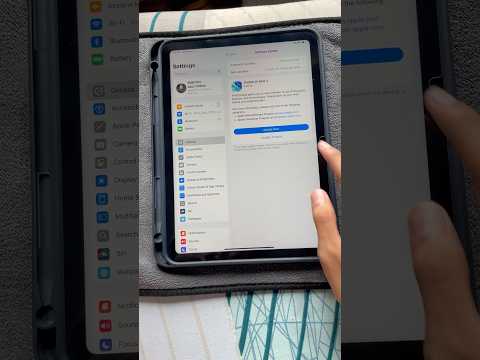
The most reliable method to verify an Apple Pencil is through the MFi (Made for iPhone/iPad) handshake protocol embedded in iPadOS. When a genuine Apple Pencil (2nd Gen or Pro) magnetically attaches to the iPad, the system executes a proprietary pairing sequence that clones cannot perfectly replicate in the system settings.
To verify: Attach the Pencil and navigate to Settings > General > About. If the device is genuine, a dedicated "Apple Pencil" section will appear. This menu provides the Model Number, Serial Number, and Firmware Version. Counterfeit units often bypass this menu or fail to display a dynamic firmware version that updates via Apple's servers.
2. The Serial Number Validation Protocol
Every genuine Apple Pencil carries a unique identifier etched on the device and stored within its internal flash memory. To ensure the hardware is legitimate, cross-reference the serial number found on the packaging with the one displayed in the iPadOS settings. Once retrieved, visit the official Apple Check Coverage portal. A genuine serial number will return specific warranty status and support details. If the portal indicates the number is invalid or refers to a different product, the hardware is a sophisticated imitation.
3. Pressure Sensitivity and Tilt Latency
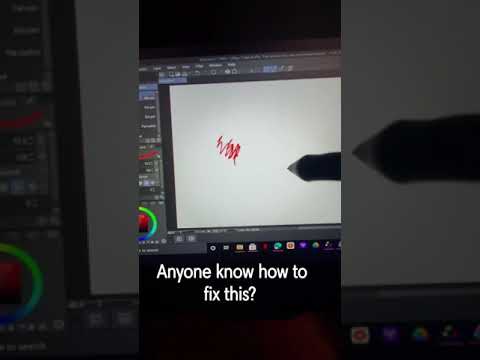
While many third-party styluses offer "palm rejection," they often lack the integrated pressure sensors found in genuine Apple hardware. From a technical perspective, genuine Apple Pencils use a complex pressure-sensitive tip that communicates varying levels of force directly to the iPad's digitizer. Fake versions typically use a "binary" signal (on/off) or rely on software-based thickness simulations which lack the nuanced AI-assisted smoothing found in Procreate or Adobe Illustrator.
4. AI Implementation Score
In the context of modern tech ecosystems, how does the Apple Pencil rank in terms of its ability to integrate with AI-enhanced software and automated workflows? The following table breaks down the efficiency of genuine hardware.
| Metric | Score (1-10) | Technical Reasoning |
|---|---|---|
| Software Synchronization | 9.5 | Instantaneous firmware handshakes via iPadOS. |
| Hardware Automation | 8.0 | Double-tap and squeeze gestures (Pro) enable rapid tool switching. |
| Data Precision | 9.0 | High-fidelity input for AI vectorization tools. |
| Counterfeit Detection | 7.5 | Relies on centralized database validation. |
5. Physical Engineering and Material Integrity
Under a macro lens, genuine Apple Pencils exhibit seamless construction. On the 1st Generation Pencil, removing the cap reveals a Lightning connector with high-density, rounded pins. On the 2nd Generation and Pro models, the matte finish is uniform, and the "Apple Pencil" engraving is laser-etched with perfect centered alignment. Counterfeits often have visible seams in the plastic or irregular font weights in the branding.
For power users, the risk of using a non-genuine Pencil extends beyond aesthetics. Third-party batteries can exhibit inconsistent voltage, potentially damaging the iPad's internal inductive charging coils. Sticking to verified hardware ensures the longevity of your AI-powered creative suite.
