
In the ecosystem of modern productivity, the Apple Pencil stands as a critical peripheral for digital workflows. Whether you are troubleshooting firmware synchronization or verifying warranty status for enterprise-grade automation, locating the serial number is the first step in technical diagnostics. At Smart AI Fix, we prioritize software-driven solutions to hardware management.
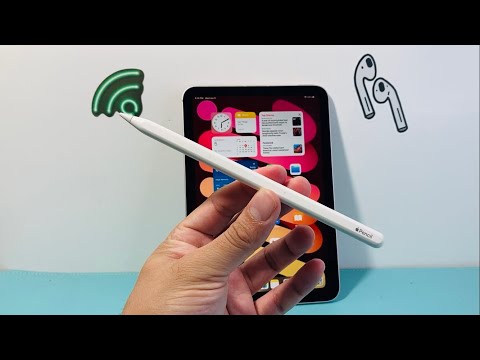
Method 1: Utilizing iPadOS Software Metadata (Most Efficient)
The most precise way to retrieve your Apple Pencil serial number is through the iPadOS interface. This method eliminates human error and allows for quick copy-pasting into service databases. Ensure your Apple Pencil is actively paired and connected via Bluetooth.
1. Open the Settings app on your iPad.
2. Navigate to General and then tap About.
3. Scroll down until you see Apple Pencil. Tap it.
4. The Serial Number will be displayed alongside the model number and firmware version.
Method 2: Physical Inspection (Hardware-Direct)

If the device is not pairing or the battery is depleted, you must rely on physical inspection. The location varies depending on the generation of the device:
Apple Pencil (2nd Generation & Pro): The serial number is etched into the device itself. It is located on the portion of the Pencil that magnetically attaches to the iPad. You may need a magnifying lens or high-resolution smartphone camera to read the micro-etched alphanumeric string.
Apple Pencil (1st Generation): Remove the magnetic cap. The serial number is printed in very small text on the Lightning connector (the silver tip used for charging).
Apple Pencil (USB-C): Much like the 2nd generation, the serial number is located on the flat edge that attaches to the iPad or inside the sliding USB-C port housing.
Method 3: Original Packaging and Documentation

For inventory management and AI-driven asset tracking, the retail packaging is the best source. Look for the barcode label on the back of the original box. It will be clearly marked as (S) Serial No. followed by the unique identifier. This is the preferred method if you are managing a fleet of devices and do not wish to unbox or pair them individually.
Verifying Warranty and Authenticity
Once you have the serial number, you should verify its status using Apple’s official Check Coverage tool. This ensures the device is genuine and provides the exact expiration date of the hardware warranty. For developers and power users, this data is essential when integrating hardware lifecycles into automated maintenance schedules.
AI Implementation Score
We evaluate these methods based on their compatibility with automated workflows and data accuracy.
| Method | Speed | Accuracy | AI Automation Potential |
|---|---|---|---|
| iPadOS Settings | High | 100% | High (via MDM scripts) |
| Physical Etching | Low | Medium | Low (Requires OCR) |
| Retail Packaging | Medium | 100% | High (via Barcode scanning) |
By maintaining a record of these serial numbers, users can leverage Smart AI Fix strategies to ensure their hardware uptime remains optimized for high-level creative and technical tasks.
