
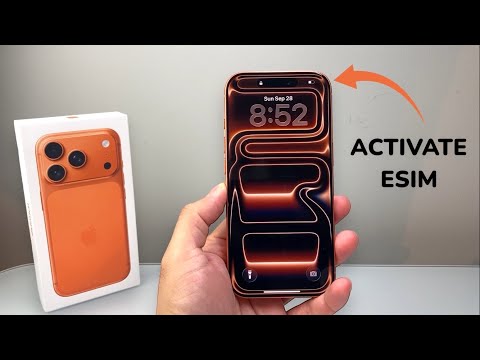
The transition to a digital-first cellular experience reaches its zenith with the iPhone 17 series. Whether you are unboxing the ultra-slim iPhone 17 Air or the powerhouse iPhone 17 Pro Max, the physical SIM slot is increasingly a relic of the past. Activating an eSIM on these devices is now a streamlined process driven by iOS 19's automation logic, ensuring that your transition to a new carrier or device happens in seconds rather than minutes.
Method 1: eSIM Quick Transfer (Existing iPhone Users)

If you are upgrading from an older iPhone to the iPhone 17 Pro, the most efficient route is the Quick Transfer method. This uses proximity-based authentication to migrate your digital identity without requiring carrier intervention.
- Ensure both devices are on the latest iOS version and have Bluetooth enabled.
- On your iPhone 17, navigate to Settings > Cellular > Add eSIM.
- Select "Transfer From Nearby iPhone."
- A verification code will appear on your old device; enter this into the new iPhone 17.
- The Apple Intelligence engine will verify the handshake with your carrier and deactivate the old SIM while provisioning the new eSIM automatically.
Method 2: Carrier-Assisted Activation (eSIM Push)

For users purchasing a new plan or switching carriers, Carrier Activation is the gold standard for software efficiency. In this scenario, the carrier assigns an eSIM to your iPhone 17’s EID number at the point of sale.
When you power on the device for the first time, a notification reading "Carrier Cellular Plan Ready to Be Installed" will appear. Simply tap the notification and follow the on-screen prompts. This bypasses the need for scanning physical media and relies entirely on server-side automation.
Method 3: QR Code and Manual Configuration

If your provider does not support Quick Transfer or Push activation, you will need to use the QR Code method. This is common for international travel eSIMs or legacy MVNO providers.
Navigate to Settings > Cellular > Add eSIM and select "Use QR Code." Position the iPhone 17’s advanced camera system over the code provided by your carrier. The software will extract the SM-DP+ Address and Activation Code instantly, requiring only a final confirmation tap to activate the line.
AI-Driven Network Optimization on iPhone 17

The iPhone 17 Pro Max utilizes a specialized AI layer within the Snapdragon X-series modem (or Apple’s proprietary silicon) to manage dual-eSIM configurations. This automation software analyzes signal strength and data latency in real-time to toggle between "Primary" and "Secondary" lines, ensuring you are always connected to the most efficient node without manual switching.
AI Implementation Score
How does the iPhone 17 eSIM setup stack up in terms of automation and software efficiency?
| Category | Score (1-10) | Notes | | :--- | :--- | :--- | | Automation Level | 9.5 | Nearly zero manual input required for Quick Transfer. | | Software Integration | 10.0 | Deeply embedded into the iOS 19 setup workflow. | | Error Correction | 8.5 | AI-driven troubleshooting for failed handshakes. | | User Efficiency | 9.0 | Reduces setup time by 70% compared to physical SIMs. |By leveraging eSIM technology, the iPhone 17 series removes the mechanical failure points of physical trays and enhances the device’s structural integrity and water resistance. For the modern professional, this means faster deployments and seamless global roaming through software-defined connectivity.
