
The ability to use an iPhone with any desired carrier globally is a significant advantage for users seeking flexibility and enhanced device utility. When an iPhone is purchased through a specific network provider like AT&T, it often comes with a carrier lock, restricting its operation to only AT&T's network. This network restriction can limit travel options, hinder resale value, and prevent users from switching to more competitive service plans. Understanding the precise procedure for removing this carrier lock is essential for unlocking the full potential of your device. This comprehensive article, drawing insights from robust technical analyses akin to those found at Smart AI Fix, meticulously details the AT&T iPhone unlocking process, ensuring a smooth transition to an unconstrained mobile experience.
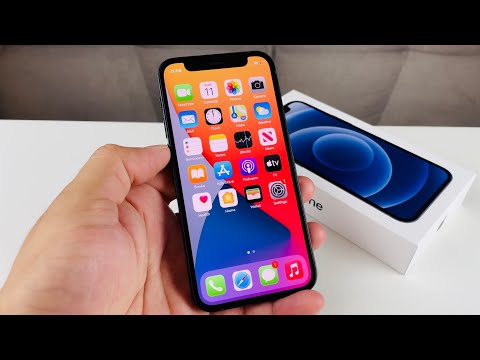
Unlocking an AT&T iPhone legally allows it to accept SIM cards from other cellular networks, both domestically and internationally. This process is fully compliant with industry standards and AT&T's own policies, provided certain eligibility criteria are met. The benefits extend beyond mere network flexibility; an unlocked iPhone generally commands a higher resale value, appeals to a broader range of potential buyers, and offers users the freedom to choose any mobile plan that suits their needs without being tied to a single carrier's ecosystem. Our aim is to demystify each stage of this process, providing clear, actionable instructions from initial eligibility checks to final activation with a new SIM card.
Essential Requirements for AT&T iPhone Unlock Eligibility

Before initiating an unlock request with AT&T, it is crucial to understand and meet their specific eligibility criteria. Failing to meet these requirements will result in a denied request. Careful preparation ensures a much smoother and quicker resolution to your unlock aspirations.
Device and Account Status Prerequisites
The primary requirements revolve around the device's financial standing and its associated AT&T account status. The device must be fully paid off, meaning no outstanding installment plan balances or early termination fees. If the iPhone was purchased on a contract, the contract terms must be fully satisfied. Furthermore, the AT&T account associated with the device must be in good standing, free from overdue payments or other service suspensions. Devices reported as lost or stolen, or those associated with any fraudulent activity, are strictly ineligible for unlocking through official channels. It is imperative that the device has been active on AT&T's network for at least 60 days for postpaid accounts, or six months for prepaid accounts, before an unlock request can be submitted. This active period ensures the device has been genuinely used on the network as per their terms of service.
IMEI Number and Contact Information
You will need the International Mobile Equipment Identity (IMEI) number of your iPhone. This unique 15-digit code is essential for AT&T to identify your specific device in their system. Additionally, you will need a valid email address to receive updates and the final unlock confirmation. If you are not the original account holder, or if the account is no longer active, you might need to provide additional details or explain the circumstances to AT&T's customer service, as the unlock process is primarily designed for the original subscriber.
Step-by-Step AT&T iPhone Unlock Request Protocol
Following a precise sequence of actions will streamline your AT&T iPhone unlocking experience. Each step is critical, from verifying your device's eligibility to submitting the request and completing the final unlock procedure.
Verifying AT&T Device Unlock Eligibility Criteria
The initial phase involves a thorough self-assessment against AT&T's unlocking rules. This pre-check can save considerable time and effort by preventing rejected requests.
Confirming Device Financial and Contractual Standing
Begin by confirming that your iPhone is no longer under any financial obligation to AT&T. This means checking if your installment plan is completely paid off. For devices acquired under a service contract, ensure that the minimum service period has been completed. You can typically verify your device's payment status and contract terms by logging into your myAT&T account online or by contacting AT&T customer service directly. Any outstanding balance, even minor, will prevent the unlock process from proceeding.
Locating Your iPhone's IMEI Number
The IMEI is the digital fingerprint of your device. There are several ways to retrieve it:
Dialing #06#: Open the Phone app and dial #06#. The IMEI will instantly appear on your screen.
Settings Menu: Navigate to Settings > General > About. Scroll down, and you will find the IMEI listed there.
SIM Tray: For many iPhone models, the IMEI is printed on the SIM card tray. Use a SIM ejector tool to pop out the tray and inspect it.
Original Packaging: The IMEI is often printed on a sticker on the iPhone's original retail box.
Once you have the IMEI, keep it handy for the unlock request form.
Submitting an AT&T Device Unlock Request
With your eligibility confirmed and IMEI in hand, the next step is to formally request the unlock.
Accessing the AT&T Device Unlock Portal
Navigate to AT&T's official device unlock portal. This is typically found within the support section of their website. You can often find it by searching "AT&T device unlock" on their site or via a search engine. Ensure you are on the legitimate AT&T domain to protect your information. The portal will present you with an online form to fill out.
Providing All Required Information Accurately
The online form will ask for several pieces of information:
Your iPhone's IMEI number.
The AT&T phone number associated with the device (if applicable, or the original account number).
The account holder's name.
A contact email address where AT&T can send updates and the unlock confirmation.
Confirmation that you have read and agree to their terms and conditions.
Double-check all entries for accuracy before submission. An incorrect IMEI or email address can lead to delays or rejection.
Confirming Request Submission and Tracking
After submitting the form, AT&T will typically send an initial email acknowledging receipt of your request. This email will often contain a reference or case number. It is crucial to retain this number, as it allows you to check the status of your request on the AT&T unlock portal or when contacting customer service for updates. The acknowledgement email confirms that your request has entered AT&T's processing queue.
Processing the Unlock Request and Receiving Confirmation
Once submitted, your request enters a review phase by AT&T.
AT&T's Internal Review and Processing Period
AT&T states that most unlock requests are processed within 2-5 business days. However, this timeframe can vary depending on various factors, including the volume of requests, the complexity of your account status, or potential issues with the provided information. During this period, AT&T verifies all the details you submitted against their internal records and eligibility criteria.
Receiving Official Unlock Approval Notification
Upon successful verification and approval, AT&T will send a final email notification to the contact address you provided. This email confirms that your iPhone is now eligible for unlocking and will contain specific instructions on how to finalize the process. Crucially, the unlock itself is often performed remotely by Apple's servers once AT&T authorizes it. The instructions typically involve connecting your device to Wi-Fi with a non-AT&T SIM or connecting to iTunes/Finder.
Finalizing the AT&T iPhone Unlock Procedure
The final steps involve your interaction with the iPhone to complete the unlock.
Performing a SIM Card Swap for Activation
The most common and straightforward method to finalize the unlock is by performing a SIM card swap. Power off your AT&T iPhone. Remove the AT&T SIM card and insert a SIM card from a different, non-AT&T carrier (e.g., T-Mobile, Verizon, an international SIM). Power on your iPhone. Upon startup, it should recognize the new SIM card and attempt to connect to that carrier's network. You may see a message indicating that your iPhone is unlocked, or it might simply register with the new network without specific notification.
Connecting to Wi-Fi and Completing Activation
After inserting the new SIM, ensure your iPhone is connected to a strong Wi-Fi network. The iPhone needs an internet connection to communicate with Apple's activation servers and complete the unlock. It will fetch the necessary carrier settings for the new SIM. Follow any on-screen prompts that may appear. If the process is successful, you will be able to make calls, send texts, and use data on the new network, confirming that your device is fully unlocked.
Utilizing iTunes or Finder for Unlock (Alternative Method)
In some rare cases, or if the SIM swap method doesn't immediately work, you might need to use iTunes (for older macOS versions or Windows) or Finder (for newer macOS versions). This method involves backing up your iPhone, performing a factory reset (erase all content and settings), and then restoring it using iTunes/Finder while a non-AT&T SIM card is inserted. Before restoring, ensure you have a complete backup to prevent data loss. Once restored, the iPhone will activate with the new SIM, confirming the unlock.
Comparative Features of an Unlocked AT&T iPhone
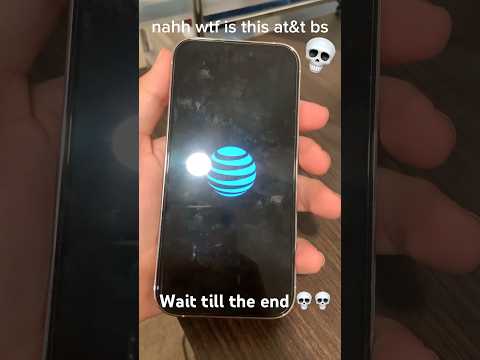
Understanding the distinctions and benefits of an unlocked iPhone compared to its locked counterpart can highlight the value of this process.
| Feature | AT&T Unlock Process | Benefits of Unlocked iPhone |
|---|---|---|
| Cost | Generally free if eligibility criteria are met. | No recurring unlock fees; potential savings on cheaper carrier plans. |
| Timeframe | Typically 2-5 business days for processing after request submission. | Immediate ability to switch carriers once unlocked and activated. |
| Eligibility | Device paid off, contract fulfilled, good account standing, not reported stolen. | Freedom from carrier contractual obligations and restrictions. |
| Method | Online request form submission, followed by SIM swap or iTunes restore. | Simple activation with any compatible SIM after initial unlock. |
| International Use | Enables use of local SIM cards when traveling abroad. | Significant cost savings on international roaming charges, enhanced convenience. |
| Resale Value | Increases device market value substantially. | Wider buyer audience, higher selling price, faster sale. |
| Carrier Flexibility | Allows switching to any compatible GSM carrier. | Choose the best plans, coverage, and features from various providers. |
| Software Updates | Does not affect access to Apple iOS updates. | Consistent access to the latest iOS features and security patches. |
Frequently Asked Questions Regarding AT&T iPhone Unlocking

Addressing common queries can clarify potential confusions and provide quick solutions.
How long does AT&T typically take to unlock an iPhone?
AT&T usually processes unlock requests within 2 to 5 business days after submission. However, this timeframe can occasionally extend due to high demand, public holidays, or if there are complications with your specific account or device status. It is advisable to plan ahead if you need your iPhone unlocked by a certain date.
Is there a cost associated with officially unlocking an AT&T iPhone?
No, if your iPhone meets all of AT&T's eligibility requirements, the official network unlock service provided by AT&T is completely free of charge. You should be wary of third-party services that charge a fee for an "official" AT&T unlock, as they may be unreliable or unnecessary.
Can I unlock an AT&T iPhone if I'm not the original account holder?
It can be more challenging but is sometimes possible. If the device meets all other eligibility criteria, you might be able to submit a request. However, AT&T typically prefers that the original account holder makes the request. You may need to provide proof of ownership or the original account details. It is best to contact AT&T customer service directly to discuss your specific situation.
What should I do if my AT&T iPhone unlock request is denied?
If your request is denied, AT&T will usually provide a reason for the denial in their notification. Common reasons include outstanding balances, an unfulfilled contract, or a device reported lost/stolen. Address the reason provided (e.g., pay off the remaining balance) and then resubmit your request. If the reason is unclear or you believe it's an error, contact AT&T customer service for clarification and assistance.
Does unlocking my iPhone void its warranty or AppleCare coverage?
No, officially unlocking your AT&T iPhone through AT&T's legitimate process does not void your Apple warranty or AppleCare coverage. The unlock is a carrier-specific setting change facilitated by Apple's activation servers, not a modification to the device's hardware or software that would violate warranty terms. Your device remains fully supported by Apple.
What is the difference between an unlocked iPhone and a jailbroken iPhone?
An unlocked iPhone is a device that has been released from its carrier network restriction, allowing it to work with any compatible cellular provider. This is a legitimate and often free process. A jailbroken iPhone, on the other hand, is one that has had its operating system modified to remove software restrictions imposed by Apple, allowing users to install unofficial apps, customize system settings, and access the file system directly. Jailbreaking is not supported by Apple and can potentially void your warranty, compromise security, and lead to system instability. Unlocking and jailbreaking are entirely separate processes.
Conclusion: Empowering Your iPhone with Carrier Freedom
Successfully unlocking your AT&T iPhone is a straightforward process when approached systematically and with adherence to the carrier's specific guidelines. By carefully verifying your device's eligibility, accurately submitting the unlock request, and following the final activation steps, you gain unprecedented freedom to choose your preferred mobile network. This liberation translates into tangible benefits, including enhanced flexibility for international travel, significant potential savings on monthly plans, and a substantial increase in your device's market value. The journey from a carrier-locked device to a truly universal iPhone is a testament to user empowerment in the digital age.
The detailed protocol outlined in this article aims to equip you with all necessary knowledge and steps, ensuring a smooth and successful unlock. Should any specific technical challenges arise during the process, resources such as those provided by Smart AI Fix offer expert insights and troubleshooting solutions, reinforcing the importance of informed decision-making. Embrace the versatility that an unlocked iPhone offers, transforming your device from a mere communication tool into a truly adaptable and valuable asset.
