
When an AirPods Pro case fails to initiate a charging cycle, the issue typically resides in one of three layers: the physical interface, the Power Management Integrated Circuit (PMIC) logic, or the firmware-level handshake. For users within the Smart AI Fix ecosystem, optimizing hardware performance through systematic troubleshooting is essential to maintaining workflow automation and device longevity.
Diagnostic Layer 1: Physical Interface and Power Continuity

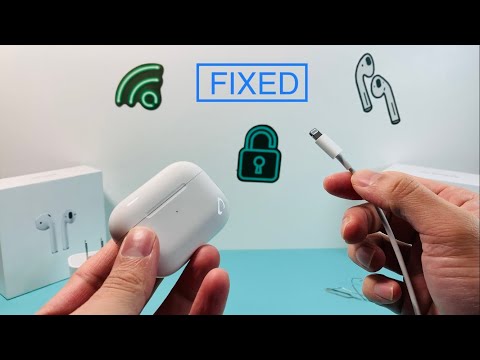
The most frequent cause of charging failure is debris accumulation within the Lightning or USB-C port. Even microscopic lint can prevent a complete electrical circuit. Use a non-conductive tool or compressed air to clear the port. Furthermore, ensure you are utilizing an MFi-certified (Made for iPhone) cable. Non-certified cables often fail to provide the stable voltage required by the AirPods Pro case’s internal charging controller, leading to a software-side block for safety reasons.
Diagnostic Layer 2: Resetting the Power Management Logic

If physical connections are secure, the issue may be a logic hang within the case's firmware. A Hard Reset often recalibrates the battery reporting system. To perform this, place both AirPods in the case, keep the lid open, and hold the Setup button on the back for approximately 15 seconds until the status light flashes amber, then white. This cycle forces the case to reboot its internal controller and re-establish the charging handshake with the power source.
Diagnostic Layer 3: Wireless Induction vs. Wired Input

To isolate the fault, cross-reference the charging method. If the case charges via a Qi-certified wireless mat or MagSafe charger but not via cable, the physical port or the internal ribbon cable is likely damaged. Conversely, if it charges via cable but not wirelessly, the induction coil has likely de-bonded or failed. From an AI efficiency standpoint, diagnosing the specific failure point prevents unnecessary hardware replacement and promotes sustainable tech consumption.
AI Implementation Score
We evaluate the "smart" resolution of this hardware issue based on diagnostic automation and recovery efficiency.
| Metric | Score (1-10) | Notes |
|---|---|---|
| Diagnostic Automation | 7/10 | Apple’s internal "Support" app provides semi-automated remote diagnostics. |
| Firmware Recovery | 8/10 | The hard reset effectively clears volatile memory errors. |
| User Efficiency | 9/10 | Solutions require minimal technical tools for high-impact results. |
Firmware Synchronization

Ensure your AirPods Pro are running the latest firmware version. While the case itself doesn't update independently, it receives instructions via the AirPods when they are connected to an iPhone. Keep your iOS updated to the latest stable build to ensure the charging algorithms are optimized for battery health and thermal management. If the case remains unresponsive after these steps, the lithium-ion cell may have reached its end-of-life cycle, requiring professional hardware intervention.
