
Facing app download issues on your brand-new iPhone 17 or 17 Pro can be incredibly frustrating. Here at Smart AI Fix, we understand you want your device running perfectly. Don't let a stalled download ruin your day – we've got the expert solutions you need to get back on track!
![iPhone 17/17 Pro: Apps Not Downloading? [SOLVED] (2026)](https://img.youtube.com/vi/DBUQhplMKks/hqdefault.jpg)
Verify Your Internet Connection

A stable internet connection is crucial. Ensure you're connected to a strong Wi-Fi network, or that your cellular data is active and has good signal strength. Try switching between Wi-Fi and cellular to see if one works better.
Restart Your iPhone 17/17 Pro
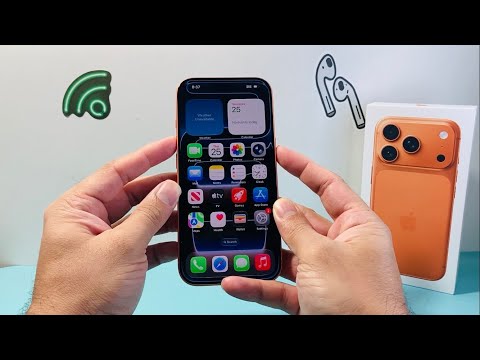
The classic IT solution often works wonders. A simple reboot can clear temporary glitches that might be preventing app downloads. Turn your iPhone off completely, wait a few seconds, then power it back on.
Check Your Apple ID and Payment Information
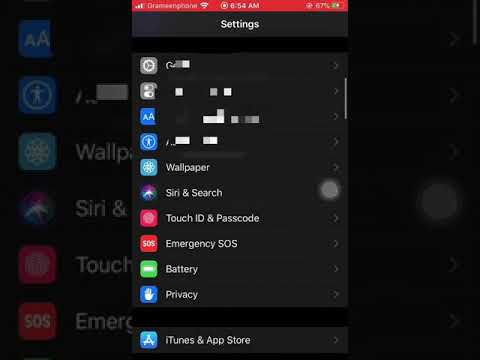
Sometimes, download issues stem from your Apple ID. Make sure you're signed in correctly to the App Store. Also, verify that your payment method on file is up-to-date and valid, even for free apps.
Free Up iPhone Storage

Insufficient storage is a common culprit. Apps require space not just for the download, but also for installation. Go to Settings > General > iPhone Storage and delete unnecessary files or apps to free up space.
Update Your iOS Software
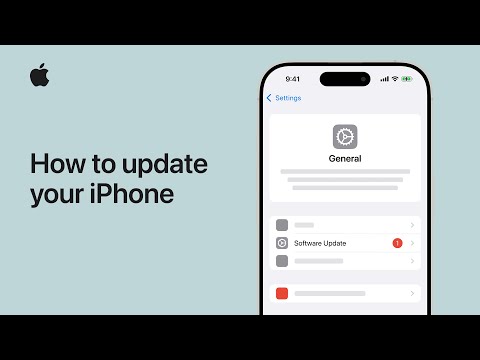
Ensure your iPhone 17/17 Pro is running the latest iOS version. Software bugs can sometimes interfere with app downloads. Head to Settings > General > Software Update to check for and install any available updates.
Reset Network Settings
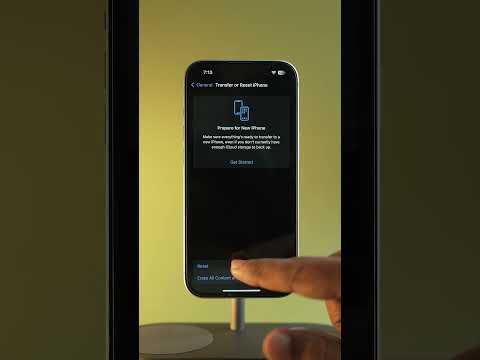
If network issues persist, resetting your network settings can help. This won't delete your data but will reset Wi-Fi passwords and cellular settings. Find this option under Settings > General > Transfer or Reset iPhone > Reset > Reset Network Settings.
Review App Store Restrictions
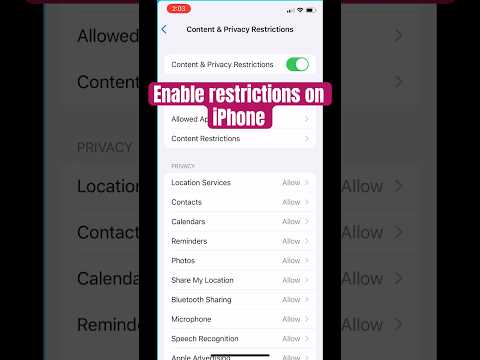
Check if any content or privacy restrictions are enabled. Go to Settings > Screen Time > Content & Privacy Restrictions > iTunes & App Store Purchases. Make sure "Installing Apps" is allowed.
Contact Apple Support

If you've tried all the above steps and still can't download apps, it might be time to reach out to Apple Support. They can provide personalized troubleshooting or hardware diagnostics if needed.
Getting your iPhone 17/17 Pro to download apps smoothly is essential for a seamless user experience. We hope these solutions from Smart AI Fix helped you resolve the problem swiftly. Enjoy your device!
