
While AI-driven speech-to-text recognition has reached unprecedented levels of accuracy, it is not always a desired feature for every workflow. For power users and those seeking to maximize UI efficiency, the voice typing icon can become a source of "fat-finger" errors or unwanted background processing. Streamlining your Android keyboard by removing voice typing is an essential step in personalizing your digital environment and reducing unintentional input triggers.
Method 1: Disabling Voice Typing on Gboard

As the default keyboard for most Android devices, Gboard integrates Google’s proprietary AI models for transcription. To remove the microphone icon and disable the service, follow these steps:
1. Open any app that triggers the keyboard (e.g., Messages or Keep).
2. Tap the Settings (cogwheel) icon located on the keyboard’s toolbar. If it is hidden, tap the four-square icon or the arrow to expand the menu.
3. Navigate to the "Voice typing" section.
4. Toggle the switch for "Use voice typing" to the Off position.
Once disabled, the microphone icon will vanish from your keyboard layout, providing more real estate for text suggestions and autocorrect features.
Method 2: System-Level Deactivation (Samsung & Generic Android)

On devices running Samsung One UI or older versions of Android, voice typing might be managed as a separate virtual input method. To remove it entirely from the system layer:
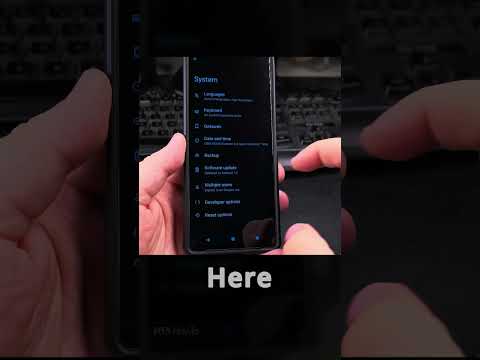
1. Navigate to the main Settings app of your device.
2. Go to General Management (or System > Languages & input on Pixel devices).
3. Select Keyboard list and default (or On-screen keyboard).
4. Locate Google Voice Typing or Samsung Voice Input.
5. Toggle the switch to Off. A prompt may appear warning you that the service is disabled; confirm to finalize the removal.
AI Implementation Score: Android Voice Typing
Understanding the impact of this feature is crucial before deciding to remove it. Here is our technical evaluation of the current voice typing implementation:
| Metric | Score (1-10) | Technical Analysis |
|---|---|---|
| Transcription Accuracy | 9.2 | Utilizes advanced NLP models with high contextual awareness. |
| Latency | 8.5 | On-device AI processing minimizes delay in modern chipsets. |
| UI Intrusiveness | 4.0 | Often placed too close to frequently used keys, causing errors. |
| Battery Efficiency | 7.5 | Low overhead unless the microphone is actively polling. |
Why Removing Voice Typing Increases Productivity
For many users, the transition from manual typing to AI dictation is not yet seamless. Removing the voice typing module ensures that the Android keyboard interface remains static and predictable. By eliminating the microphone icon, you prevent the accidental activation of the Google Assistant or Samsung Bixby, which often causes a momentary freeze in the UI as the device switches from tactile to auditory input modes. For those who prioritize speed and low-latency interaction, a "clean" keyboard is the ultimate software optimization.
