
Maintaining a lean digital ecosystem is a fundamental principle at Smart AI Fix. As we lean more heavily on AI-driven automation and cross-platform integrations, the number of third-party applications tethered to our Google accounts grows exponentially. These "zombie permissions" not only pose a security risk but can also degrade software performance by allowing unnecessary background data synchronization.
Understanding the Risk of Excessive App Permissions
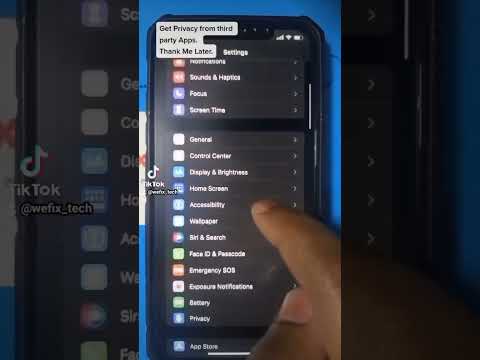
Every time you use "Sign in with Google" for a new productivity tool or AI assistant, you grant that developer a specific token to access your data. Over time, these accumulated permissions create a fragmented security posture. For Android and Samsung users, managing these connections is critical for maintaining system integrity and ensuring that your primary AI workflows remain private and secure.
Step-by-Step: Removing Third-Party Access on Android

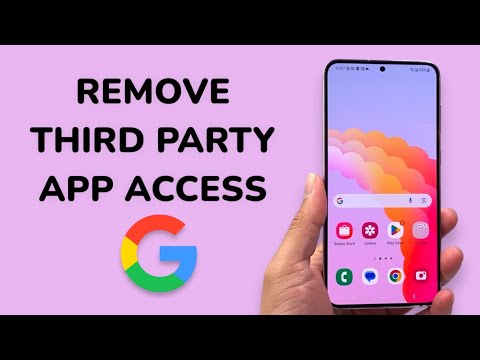
To audit and remove third-party access directly from your Android device, follow these precise technical steps:
1. Open System Settings: Swipe down and tap the gear icon, or locate Settings in your app drawer.
2. Navigate to Google: Scroll down and select the Google menu. This acts as the centralized hub for your account services.
3. Manage Your Google Account: Tap the button labeled "Manage your Google Account" located directly under your profile email.
4. Access Security Settings: Use the horizontal navigation bar to select the Security tab.
5. Locate Third-Party Connections: Scroll down until you find the section titled "Your connections to third-party apps and services." Tap on "See all connections."
6. Revoke Access: Select the specific app you wish to disconnect. Review what data it has access to, then tap "Delete all connections you have with [App Name]" and confirm by clicking Confirm.
Optimization for Samsung Users

On Samsung Galaxy devices, while the Google Account path remains the same, you should also check "Connected Apps" within the Samsung Account settings if you use Samsung-specific cloud features. Keeping both ecosystems synchronized and clean ensures that your device’s AI-enhanced battery management isn't fighting against unauthorized background API pings.
AI Implementation Score
At Smart AI Fix, we evaluate digital maintenance tasks based on their impact on overall system intelligence and security. Here is the score for this procedure:
| Metric | Score (1-10) | Description |
|---|---|---|
| Security Hardening | 9.5 | Effectively closes potential backdoors and data leaks. |
| System Efficiency | 8.0 | Reduces background sync processes and API overhead. |
| Automation Ease | 4.0 | Currently requires manual auditing; limited AI auto-purge options. |
| Privacy Protection | 10.0 | The highest impact action for protecting personal data in the Google ecosystem. |
Why Regular Audits Matter for Software Efficiency
In the age of automated software, an over-cluttered account acts as digital friction. By removing third-party access to apps you no longer use, you reduce the surface area for credential stuffing attacks and ensure that your Google Drive and Gmail data are only being accessed by verified, high-performance tools. We recommend performing this audit every 90 days to maintain peak technical health.
