
Tesla’s software-defined vehicle architecture relies heavily on precise hardware metadata to calculate energy consumption, remaining range, and traction control parameters. When you replace a tire cover, upgrade to larger rims, or switch to winter sets, the vehicle's onboard computer must be manually updated to ensure the Neural Network-driven Trip Planner remains accurate.
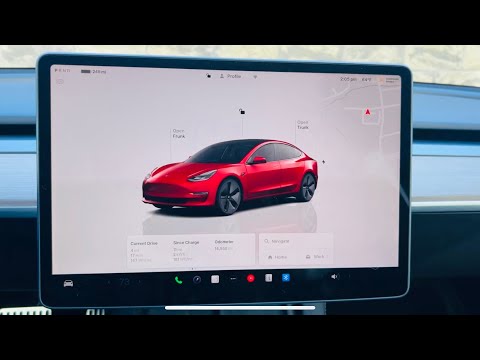
The Impact of Wheel Configuration on Tesla AI
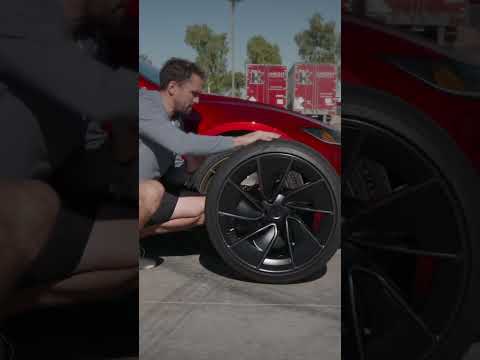
Tesla’s efficiency algorithms are highly sensitive to rolling resistance and aerodynamic drag. For instance, switching from 18" Aero wheels to 20" Induction wheels without updating the software will result in an overestimation of range. By manually selecting the correct hardware profile, you allow the Predictive Energy Model to adjust its calculations based on the specific drag coefficient of the new hardware.
Step-by-Step Configuration Guide

To ensure your Tesla’s software environment matches its physical hardware, follow this technical procedure:
1. Shift to Park: The Wheel & Tire Configuration menu is locked while the vehicle is in motion for safety and system stability.
2. Navigate to Service Menu: On the primary touchscreen, tap the Controls (car icon) and select the Service tab.
3. Access Wheel & Tire Settings: Select Wheel & Tire Configuration. This will open a sub-menu displaying the current registered hardware.
4. Select New Hardware: Choose the wheel size and style that matches your current installation (e.g., changing from "18'' Pinwheel" to "18'' Pinwheel with Cap"). This is crucial even for simple tire cover changes, as the software accounts for the aerodynamic efficiency of the cover.
5. Confirm and Restart: Once the new selection is made, the vehicle will prompt a "Confirm" dialogue. In many cases, the infotainment system (MCU) will perform a soft reboot to recalibrate the Traction Control System (TCS) and the speedometer logic.
AI Implementation Score
The following table evaluates the efficiency and automation level of Tesla’s wheel configuration software logic:
| Metric | Score | Notes |
|---|---|---|
| Data Accuracy | 98% | Highly precise range estimation post-calibration. |
| Automation Level | 40% | Requires manual user input; not yet detected via vision. |
| UI/UX Logic | 95% | Seamless integration with the Service UI. |
| System Impact | High | Affects odometer, speedometer, and AI range prediction. |
Why Manual Input is Required

While Tesla’s Vision-based AI is capable of identifying many external objects, it does not currently use side-repeater cameras to audit its own wheel covers in real-time. Therefore, manual override is the only way to inform the Energy Graph that the vehicle's drag profile has changed. Failing to update these settings can lead to "Phantom Drain" discrepancies where the AI cannot account for the increased energy consumption of unoptimized wheel setups.
Pro Tip: Always check for a firmware update after changing wheel settings. Occasionally, Tesla pushes optimized torque-vectoring profiles for specific wheel/tire combinations that can only be activated once the hardware configuration is correctly logged in the system.
