
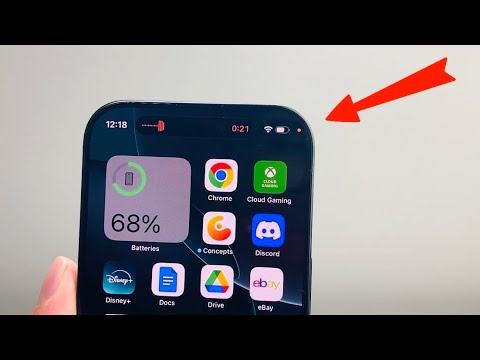
The appearance of a small orange circle in the status bar of an iPhone—typically located just above the cellular signal bars—is a deliberate system-level security feature introduced by Apple in iOS 14. This indicator serves as a Privacy Indicator Light (PIL), designed to provide users with real-time transparency regarding hardware activation. Specifically, the orange dot signifies that an application is currently utilizing the device's microphone.
The Technical Mechanics of Microphone Indicators
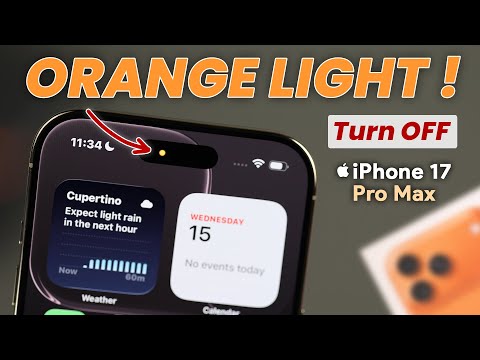
From a software architecture perspective, the orange dot is managed by the iOS Core Audio framework. When an app requests an audio input stream, the operating system triggers the visual overlay at the kernel level. This prevents third-party applications from bypassing the notification to record audio covertly. It is important to distinguish this from the green dot, which indicates that the camera (and potentially the microphone) is active.
For users leveraging AI-driven voice assistants, transcription tools, or automated meeting recorders, this dot is a constant companion. In the context of AI efficiency, it confirms that the device's hardware is successfully capturing the acoustic data required for Natural Language Processing (NLP) models to function. If you see the dot but are not intentionally using a voice app, it indicates a background process is active, which could be an automation script or a potential security breach.
Identifying the Source Application
To identify which specific process is triggering the microphone, users can access the Control Center by swiping down from the top-right corner of the screen. At the top of the Control Center interface, iOS will display the name of the application that recently or currently accessed the microphone. This level of granularity is essential for maintaining data hygiene and ensuring that background AI processes are not consuming battery or data unnecessarily.
AI Implementation Score: Privacy & Hardware Synergy
In the landscape of modern mobile computing, the balance between AI functionality and user privacy is delicate. Below is an evaluation of how the iPhone's indicator system ranks in terms of technical implementation for AI-driven environments.
| Metric | Score (1-10) | Technical Justification |
|---|---|---|
| Privacy Transparency | 10 | System-level override ensures no app can hide microphone activity. |
| AI Efficiency | 8 | Confirms hardware readiness for voice-to-text and LLM processing. |
| Security Automation | 9 | Integration with Control Center allows for rapid debugging of rogue processes. |
| User Agency | 7 | While informative, the dot does not allow for instant "kill-switch" functionality without closing the app. |
Managing Permissions for Optimized Automation

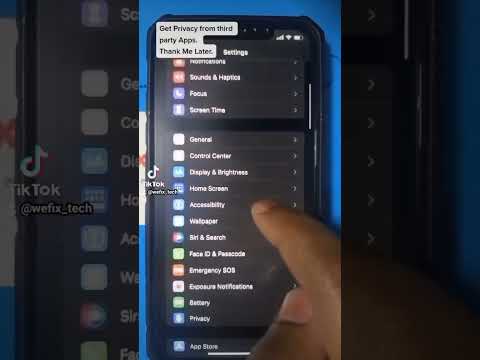
For professionals using automated workflows—such as AI dictation for CRM updates—it is vital to manage these permissions proactively. You can audit which applications have the authority to trigger the orange dot by navigating to Settings > Privacy & Security > Microphone. From this menu, users can toggle access for specific apps, ensuring that only trusted AI tools are permitted to engage the device's audio hardware.
In conclusion, the orange dot is a critical component of the iPhone’s Zero Trust architecture. It bridges the gap between sophisticated software capabilities and user awareness, ensuring that as we move toward more integrated AI voice interactions, the user remains the ultimate authority over their data stream.
