
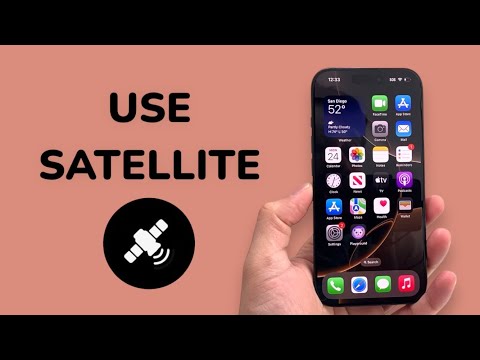
Apple’s integration of satellite connectivity into the iPhone ecosystem represents a significant leap in mobile infrastructure, moving beyond terrestrial limitations through advanced computational networking and signal processing. With the release of iOS 18, the "Messages via Satellite" feature expands upon the initial Emergency SOS functionality, allowing users to maintain communication in "dead zones" without specialized hardware.
The Technical Architecture of Satellite Messaging

Unlike traditional satellite phones that utilize bulky external antennas, the iPhone utilizes a customized radio frequency (RF) front-end and highly optimized software algorithms. The system relies on a predictive AI model to track the movement of Low Earth Orbit (LEO) satellites. Since these satellites travel at speeds exceeding 15,000 mph, the iPhone’s software must guide the user in real-time to maintain a precise line-of-sight connection.
How to Activate and Use Messages via Satellite

To utilize this feature, you must have an iPhone 14 or later running iOS 18. The system is designed to trigger automatically when the device detects a total loss of cellular and Wi-Fi connectivity. Follow these technical steps to establish a link:
1. Trigger the Satellite Interface: When outside of signal range, a prompt will appear on the Lock Screen or within the Control Center labeled "Satellite." Tap this to open the Connection Assistant.
2. Physical Alignment: The iPhone uses an on-screen graphical interface driven by the device's gyroscope and accelerometer. Follow the prompts to point your device toward the nearest available satellite. Avoid obstructions like heavy foliage or tall buildings, as these significantly attenuate the high-frequency signal.
3. Messaging Protocol: Once connected, you can open the Messages app. You can send iMessages (to other Apple users) or SMS (to non-Apple users). Note that end-to-end encryption is maintained for iMessages sent via satellite, though media attachments like high-resolution photos are compressed or restricted to save bandwidth.
AI Implementation Score
At 'Smart AI Fix', we evaluate the efficiency of new software features based on their automated logic and user-centric design. Here is our assessment of the Satellite feature:
| Category | Score (1-10) | Notes |
|---|---|---|
| Automation | 9/10 | System triggers automatically upon signal loss. |
| UX Efficiency | 8/10 | Real-time visual guidance for satellite tracking is highly intuitive. |
| Algorithmic Complexity | 10/10 | Complex orbital tracking compressed into a mobile chipset. |
| Communication Optimization | 7/10 | Data packet compression is aggressive to ensure message delivery. |
Managing Expectations: Bandwidth and Latency

It is critical to understand that satellite communication is a low-bandwidth operation. While AI-driven text compression helps, latency can range from 15 seconds to over a minute depending on atmospheric conditions. This is not intended for web browsing or video streaming, but rather as a mission-critical automation tool for safety and essential coordination.
For those testing the feature for the first time, Apple provides a Satellite Connection Demo. Go to Settings > Apps > Messages > Satellite Connection Demo. This allows you to practice the alignment process without contacting emergency services, ensuring you are proficient with the software's requirements before an actual off-grid scenario occurs.
