
Carrier settings updates are essential data packages that allow your cellular provider to update their network protocols and related configurations to improve overall connectivity, 5G integration, and performance. In the ecosystem of Smart AI Fix, we view these updates as critical software patches that optimize the communication layer between your hardware and the cellular infrastructure.
The Mechanism of Carrier Updates

Unlike standard iOS updates, carrier settings updates are often pushed silently to the device. These files contain specific instructions for your iPhone regarding VoLTE, Wi-Fi Calling, personal hotspot configurations, and network-specific cellular data roaming protocols. From an efficiency standpoint, keeping these updated ensures that the device's internal algorithms for signal handoff are operating on the latest logic provided by the carrier.
How to Manually Trigger a Carrier Update

While the iPhone is designed to prompt you automatically when a new update is available, you can force the system to check for these patches manually. This is a recommended troubleshooting step if you are experiencing dropped calls or sluggish data speeds. Follow these steps:
1. Ensure your iPhone is connected to a Wi-Fi or cellular network.
2. Navigate to Settings.
3. Tap General.
4. Select About.
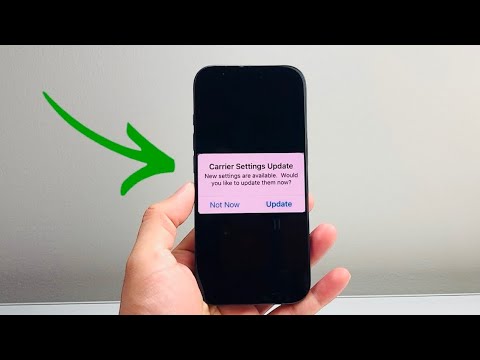
If an update is available, a pop-up window will appear within approximately 15 to 30 seconds. Tap Update to apply the new settings immediately. If no pop-up appears, your device is already running the most current carrier configuration.
Verifying the Current Carrier Version
For technical auditing, it is often necessary to know which version of the carrier settings is currently active. To find this, stay on the About screen and scroll down to the Physical SIM (or eSIM) section. Beside Carrier, you will see the provider's name followed by a version number (e.g., Verizon 54.0.1). This information is vital when troubleshooting compatibility with new network automation features.
AI Implementation Score: Network Optimization
At Smart AI Fix, we evaluate system maintenance tasks based on their impact on software efficiency and automation. The carrier update process scores as follows:
| Metric | Score | Reason |
|---|---|---|
| Automation Ease | 9.5/10 | Updates are pushed via background protocols with minimal user friction. |
| Network Efficiency | 8.5/10 | Critical for optimizing 5G spectrum and algorithmic signal routing. |
| User Interaction | 2/10 | Requires very little manual effort, aligning with high-efficiency standards. |
Why Carrier Updates are Mandatory for 5G

As carriers transition toward Standalone (SA) 5G, these updates become even more critical. They provide the iPhone's modem with the necessary parameters to switch from non-standalone (NSA) networks to true 5G, significantly reducing latency. Failing to update can result in your device being locked to legacy frequencies, wasting the high-speed potential of your hardware.
