
Managing digital connectivity via eSIM technology has revolutionized mobile hardware efficiency, allowing iPhone users to switch between networks without the friction of physical SIM cards. However, the software-driven nature of eSIMs often leads to confusion regarding temporary deactivation versus permanent deletion. For those optimizing their device for data management or battery efficiency, knowing how to disable an eSIM line while retaining its configuration is a critical operational skill.
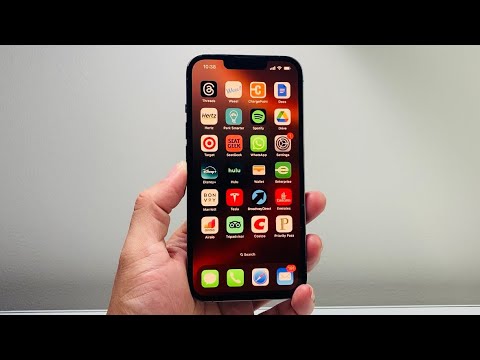
The Technical Workflow: Disabling eSIM via iOS Settings

To turn off an eSIM without purging the underlying profile from your Secure Element (eSE), follow these precise steps within the iOS environment:
- Open the Settings app on your iPhone.
- Navigate to the Cellular (or Mobile Data) section.
- Under the SIMs sub-header, you will see a list of available lines. Tap on the specific eSIM profile you wish to deactivate.
- Locate the toggle labeled Turn On This Line.
- Toggle the switch to the OFF position.
By executing this sequence, the iPhone’s modem ceases communication with the specific carrier's cell towers for that line. The cryptographic keys and ICCID information remain securely stored on the device, allowing for instantaneous reactivation without contacting the carrier or re-scanning a QR code.
AI Implementation Score
In the context of Smart AI Fix metrics, we evaluate the efficiency of this software-level toggle compared to manual hardware management.
| Metric | Score (1-10) | Notes |
|---|---|---|
| Automation Potential | 8/10 | Can be integrated with iOS Shortcuts/Focus Modes. |
| Efficiency | 9/10 | Zero-latency switching between network states. |
| Data Security | 10/10 | Profiles remain encrypted in the Secure Element. |
| Complexity | 2/10 | Low barrier to entry for end-users. |
Why Deactivation Trumps Deletion

From an efficiency and automation perspective, deleting an eSIM is often an irreversible localized action. If a user deletes the profile, re-provisioning usually requires a new unique activation token from the service provider, which creates a bottleneck in workflow. By simply turning the line off, users can leverage iOS Focus Modes to automatically disable work lines during personal hours, effectively automating their digital boundaries without technical overhead.
Furthermore, disabling an inactive eSIM prevents the modem from "searching" for a signal, which is a primary driver of battery drain in areas with poor coverage. For international travelers using "Travel SIMs," keeping the line disabled until arrival at the destination ensures that background data processes do not trigger unexpected roaming charges through automated sync cycles.
