
Migrating to a new hardware iteration in the iOS ecosystem has evolved from a tedious manual task into a highly optimized, AI-driven synchronization process. Whether you have secured a budget-friendly model via Amazon or the latest flagship, the efficiency of your data transition depends on selecting the right automated protocol.
Method 1: The Quick Start Automated Handshake

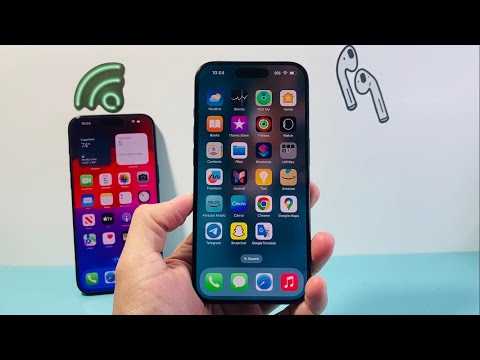
The most efficient method for modern users is Quick Start. This process utilizes proximity-based sensors and localized encryption to establish a secure link between devices. By leveraging Apple’s proprietary migration algorithms, the system creates a peer-to-peer Wi-Fi connection that bypasses the need for cloud intermediaries, ensuring a high-speed data handshake.
To initiate, place your new iPhone next to your current one. A prompt will appear on the legacy device asking if you want to use your Apple ID to set up the new unit. Once the AI-generated animation is scanned by the new camera, the automated sequence begins. This not only transfers your configuration but also instructs the App Store to begin background-fetching the exact versions of your software suite.
Method 2: iCloud Synchronization and Intelligent Restore
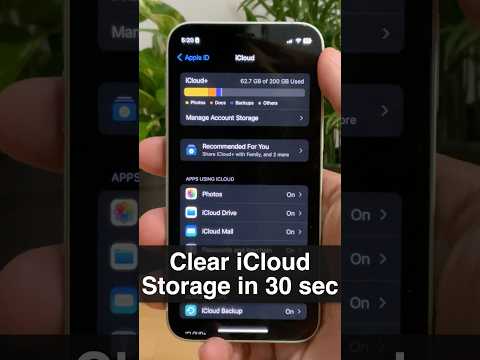
For users who prefer a cloud-native approach, iCloud Backup provides a seamless software-as-a-service (SaaS) experience. This method is ideal if you no longer have access to your old device or prefer to offload the processing power to Apple’s servers. The intelligent restore feature prioritizes essential system data first, allowing you to use the phone while the non-critical app binaries download in the background based on your usage patterns.
Navigate to Settings > [Your Name] > iCloud > iCloud Backup and trigger a manual update before switching. On the new device, select "Restore from iCloud Backup" during the initial "Apps & Data" screen. This ensures that your app-specific data—such as login tokens and local caches—remains intact without manual reconfiguration.
AI Implementation Score
In our analysis at Smart AI Fix, we rank these methods based on their level of automation, data integrity, and temporal efficiency.
| Transfer Method | Automation Level | Speed Optimization | AI Score |
|---|---|---|---|
| Quick Start (Direct) | High | 9.5/10 | 98% |
| iCloud Restore | Medium-High | 8.0/10 | 92% |
| Wired (Finder/iTunes) | Low | 7.0/10 | 65% |
Method 3: Strategic App Store Redownloads

If you aim for a "clean slate" to optimize storage efficiency, you can manually trigger downloads. This is less automated but allows for software pruning. By accessing the "Purchased" section in the App Store, you can selectively deploy applications. Modern iOS versions use App Offloading logic to help identify which apps are redundant, helping you maintain a high-performance environment on your new hardware.
For those looking to upgrade their hardware while maintaining high ROI, you can find significant value when you GET CHEAP iPHONES on Amazon (US). These units, combined with the automated migration techniques mentioned above, provide the most cost-effective way to stay within the cutting-edge mobile AI landscape.
