
Losing an iPhone is no longer a terminal event for your data or your hardware, thanks to the Find My network. This sophisticated ecosystem leverages a decentralized mesh network of over a billion Apple devices. By using machine learning algorithms and Bluetooth Low Energy (BLE), Apple has automated the recovery process, allowing you to track a device even if it is offline or powered down. Here is the technical blueprint for recovering your device using either an iOS or Android platform.
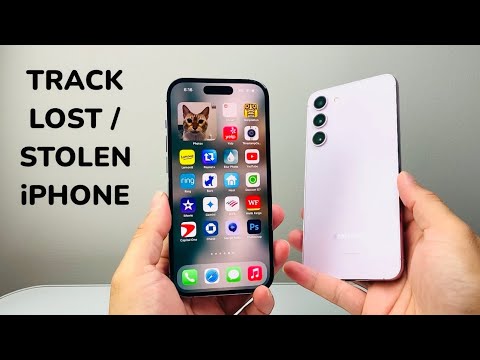
Method 1: Tracking via Another iPhone (The Find My App)

If you have access to another iOS device, the process is streamlined through native software integration. Instead of logging out the owner of the secondary device, use the "Help a Friend" feature. This utilizes a secure web-view of the Find My portal without compromising the host device's security tokens.
Open the Find My app, navigate to the Me tab, and select Help a Friend. This redirects to iCloud.com/find. Once logged in with your Apple ID, the system uses differential privacy to locate your device on a map. You can remotely trigger an Acoustic Ping, enable Lost Mode (which locks the screen and activates power-reserve tracking), or initiate a Remote Wipe if the AI determines the device is in a high-risk unauthorized location.
Method 2: Tracking via Android Phone (Web-Based Recovery)
Tracking an iPhone from an Android device requires utilizing a cross-platform web interface. Since there is no native "Find My" app for Android, you must rely on browser-based automation. Open Chrome or any mobile browser and navigate to iCloud.com. It is vital to use Incognito/Private mode to ensure your credentials are not cached on the Android hardware.
Once authenticated, the iCloud Find My engine provides real-time telemetry of your iPhone. The software interface allows you to view the Last Known Location, which is cached for 24 hours. If the iPhone is running iOS 15 or later, the Find My Power Reserve feature allows the device to be trackable for up to five hours after the battery has died, using low-level firmware automation.
Advanced Security: Activation Lock and AI Safeguards

Modern iPhone recovery is powered by Activation Lock, a security feature that is automatically enabled when Find My is active. This creates a cryptographic link between your Apple ID and the device hardware. Even if a thief attempts a DFU (Device Firmware Update) restore, the Apple servers will refuse to activate the device without your unique credentials. This server-side automation renders stolen devices virtually useless for resale, significantly decreasing their "street value" through algorithmic deterrents.
AI Implementation Score: iPhone Tracking Systems
At Smart AI Fix, we evaluate the efficiency of recovery protocols based on their autonomous capabilities and software integration.
| Feature | Automation Level | AI Efficiency Score |
|---|---|---|
| Find My Mesh Network | High (Autonomous) | 9.5/10 |
| Offline Finding (BLE) | High (Background) | 9.0/10 |
| Power Reserve Tracking | Medium (Firmware) | 8.5/10 |
| Cross-Platform Sync | Low (Manual) | 7.0/10 |
To maximize recovery chances, always ensure "Send Last Location" is enabled in your iCloud settings. This automated trigger sends the device's coordinates to Apple's servers the moment the battery reaches a critical threshold, providing you with a definitive starting point for your search.
