
Device Firmware Update (DFU) mode is the deepest possible recovery state for an iOS device, allowing the hardware to interface with iTunes or Finder without loading the operating system or bootloader. While essential for advanced troubleshooting and firmware manipulation, getting stuck in this "black screen" state is a common friction point in mobile maintenance. At Smart AI Fix, we prioritize software efficiency and hardware-level automation to resolve these loops swiftly.
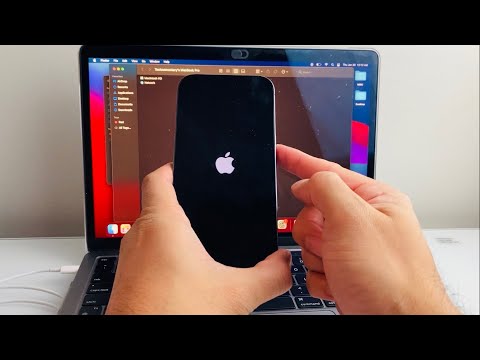
The Universal Exit Protocol (iPhone 8, SE 2/3, and iPhone 11-15 Series)

Modern iPhones rely on a specific timing sequence to interrupt the DFU handshake. Because the screen remains powered off during DFU mode, you must follow these tactile steps precisely to trigger the Apple Logo and initiate a standard boot sequence:
1. Quick-press the Volume Up button. Do not hold it.
2. Quick-press the Volume Down button. Do not hold it.
3. Press and hold the Side (Power) button. Continue holding until the Apple logo appears on the display. This can take up to 15 seconds. Once the logo is visible, release the button.
Legacy Hardware Sequences (iPhone 7 and Earlier)
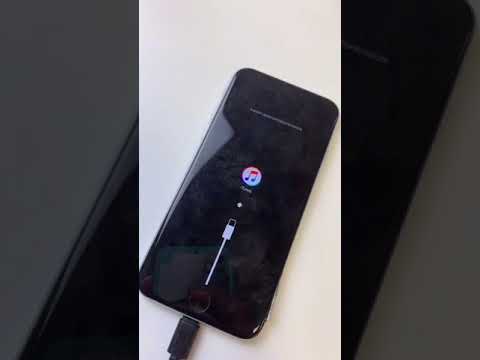
For older architecture, the DFU exit relies on a concurrent physical circuit break. For an iPhone 7 or 7 Plus, press and hold the Volume Down and Side buttons simultaneously until the device reboots. For iPhone 6s, SE (1st Gen), and earlier, hold the Home and Power buttons together until the recovery cycle completes.
Automated Recovery via AI-Enhanced Software

If manual button sequences fail due to hardware degradation or software "looping," we recommend leveraging AI-driven recovery tools like Tenorshare ReiBoot or iMyFone Fixppo. These platforms utilize automated scripts to send a "Standard Exit" command to the device's kernel, bypassing the need for physical button manipulation. This is the most efficient path for system automation when managing a fleet of devices or dealing with a non-responsive logic board.
AI Implementation Score: Troubleshooting Efficiency
| Category | Score (1/10) | Rationale |
|---|---|---|
| Manual Execution | 2/10 | High human error rate; requires precise physical timing. |
| Scripted Automation | 9/10 | AI-based software detects the USB handshake and automates the exit sequence. |
| Diagnostic Accuracy | 8/10 | Automated tools can distinguish between a DFU state and a hardware-level "Black Screen of Death." |
Exiting DFU mode is typically a matter of forcing the bootloader to re-engage. If the device repeatedly falls back into DFU mode after these steps, it indicates a firmware corruption or a failed NAND flash component, requiring a full system restore via an AI-optimized IPSW file injection.
