
Managing call accessibility on iOS requires a precise understanding of the balance between AI-driven notification filtering and manual override settings. Whether you are troubleshooting missed client connections or ensuring that automated alert systems can reach your device, configuring your iPhone to allow all calls involves adjusting the Focus architecture and the "Silence Unknown Callers" logic.
Disabling Focus and Do Not Disturb Overlays

The primary reason calls are blocked on modern iPhones is the Focus Mode engine. To ensure every incoming signal reaches your device, you must ensure that no active profile is filtering incoming voice traffic. Swipe down from the top-right corner to access the Control Center. If a Focus icon (like a moon for Do Not Disturb) is illuminated, tap it to disable the filter.
To automate this for long-term efficiency, navigate to Settings > Focus > Do Not Disturb. Under the People section, ensure that Allow Calls From is set to Everybody. This adjustment reconfigures the iOS notification priority queue, allowing the kernel to push voice alerts to the foreground regardless of the contact's status in your directory.
Deactivating 'Silence Unknown Callers'
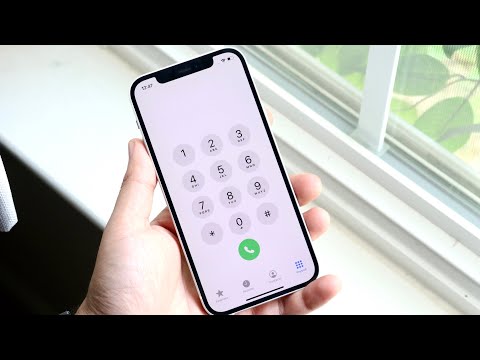
iOS utilizes a local machine-learning algorithm to identify and suppress potential spam. While efficient for productivity, this feature frequently intercepts legitimate calls from unlisted numbers. To allow these calls, go to Settings > Phone. Scroll down to find Silence Unknown Callers and toggle the switch to Off.
By disabling this, you are effectively instructing the Apple CallKit framework to bypass the initial heuristic scan that checks if the number exists in your Contacts, Outgoing Calls, or Siri Suggestions. This ensures that every SIP (Session Initiation Protocol) request is processed as a standard ringing event.
Configuring Emergency Bypass for Critical Contacts
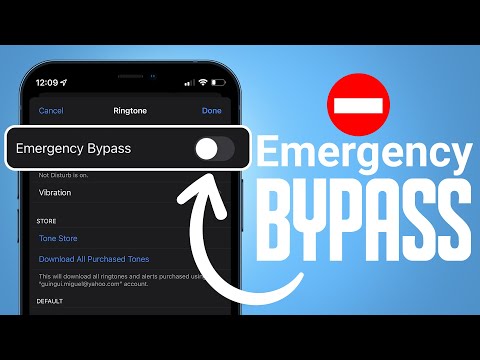
If you prefer to keep your phone on silent but need specific "All Calls" functionality for high-priority automated systems or individuals, Emergency Bypass is the professional solution. Open a specific contact, tap Edit, then Ringtone, and toggle Emergency Bypass to On. This creates a hardware-level override, allowing the call to ring even if the physical mute switch is engaged or the software-level Do Not Disturb is active.
AI Implementation Score
The following table evaluates the efficiency and automation potential of managing call settings on iOS using current software versions.
| Metric | Score (1-10) | Technical Rationale |
|---|---|---|
| Automation Capability | 8/10 | Focus filters allow for location-based and time-based triggers. |
| AI Filtering Precision | 7/10 | 'Silence Unknown Callers' uses robust local heuristics. |
| User Efficiency | 9/10 | Control Center provides instantaneous global overrides. |
| Security Integrity | 6/10 | Allowing all calls increases exposure to social engineering/vishing. |
By optimizing these three layers—Focus Mode, Unknown Caller logic, and Emergency Bypass—you transform your iPhone from a filtered communication silo into an always-available node within your professional network.
