
Resetting an iPhone is often viewed as a troubleshooting last resort, but from a technical perspective, it is a sophisticated process of system re-initialization designed to optimize software performance and clear deep-seated cache conflicts. In the context of modern iOS, a reset can range from a simple power cycle to a full restoration of the device's factory state, each impacting the underlying architecture differently.
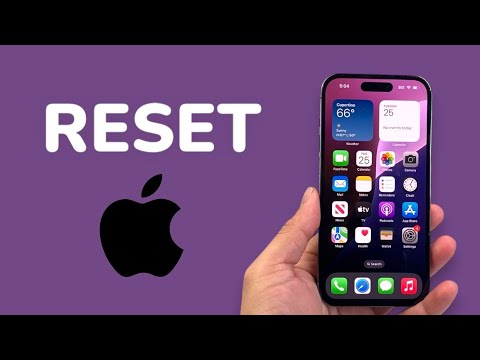
The Different Tiers of a Reset

When we discuss what happens during an iPhone reset, we must distinguish between three primary actions: the Soft Reset, the Force Restart, and the Factory Reset. A soft reset simply closes all active processes and flushes the RAM, allowing the operating system (iOS) to reload essential kernel extensions. A force restart goes a step further by physically cutting power to the logic board temporarily, which is essential when the software layer has become unresponsive due to an algorithmic loop or driver failure.
However, the Factory Reset (technically labeled as "Erase All Content and Settings") is the most significant. When initiated, iOS triggers a secure wipe of the NAND flash storage. Specifically, it destroys the metadata encryption keys that protect your data. While the encrypted data may physically remain on the chip for a period, it becomes mathematically impossible to recover without those keys, effectively returning the software environment to its "Out of the Box" state.
Impact on AI Efficiency and System Performance

From an automation and AI standpoint, a factory reset clears the Neural Engine's local cache. Over time, Siri’s predictive models and on-device machine learning (like keyboard autocorrect and photo indexing) can accumulate "data noise"—outdated patterns that may slow down processing efficiency. By resetting, you force the system to rebuild these indexes from a clean slate, often resulting in snappier UI transitions and more accurate predictive text processing. This is a form of manual "system optimization" that removes software rot and redundant background processes that consume CPU cycles.
What Exactly Is Lost?

1. Personal Data: All photos, messages, and documents are removed from the local hardware. 2. System Settings: Wi-Fi passwords, Bluetooth pairings, and VPN configurations are wiped. 3. Digital Keys: Apple Wallet cards and eSIMs (unless you choose to keep them) are de-provisioned. 4. Security Tokens: All biometric data (FaceID/TouchID) is deleted for security integrity.
AI Implementation Score
The following table evaluates the efficiency and automation level of the iOS Reset process compared to manual system maintenance:
| Metric | Score (1-10) | Rationale |
|---|---|---|
| Automation Level | 9/10 | The process is fully automated once initiated, requiring zero manual file deletion. |
| Data Integrity | 10/10 | Uses military-grade encryption key destruction to ensure data is unrecoverable. |
| System Optimization | 8/10 | Effectively eliminates software conflicts and optimizes the Neural Engine's overhead. |
| Ease of Recovery | 9/10 | iCloud integration allows for near-instant AI-driven restoration of essential data. |
Final Technical Considerations

Before initiating a reset, ensure that Find My iPhone is disabled or that you have your Apple ID credentials ready. Due to Apple’s "Activation Lock" security feature, a reset device remains tethered to the original owner's account. Furthermore, always confirm that a full encrypted backup has been completed via iCloud or a physical workstation. This ensures that while the software environment is refreshed, your personalized AI data models can be re-synced without friction.
