
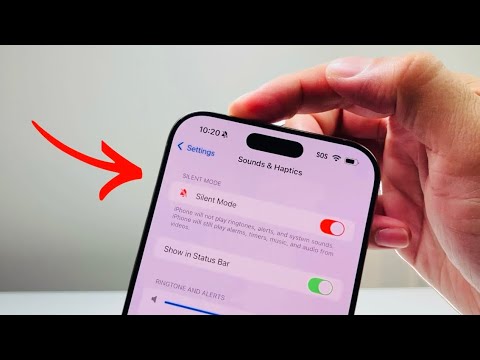
The iPhone 16 Pro Max continues the hardware evolution initiated by its predecessor, moving further away from mechanical toggles toward software-defined inputs. For power users and automation enthusiasts at Smart AI Fix, understanding how to toggle Silent Mode on this device involves mastering the Action Button and the sophisticated iOS 18 software layer that manages acoustic notifications.
Method 1: Utilizing the Programmable Action Button

On the iPhone 16 Pro Max, the traditional mute switch has been replaced by the Action Button, located above the volume keys. By default, this button is mapped to Silent Mode, but its behavior is governed by haptic feedback and software configuration.
To turn Silent Mode ON or OFF, simply long-press the Action Button. A distinct haptic vibration will confirm the change. If the device is unlocked, a Dynamic Island notification will provide visual confirmation of the current ringer status. This tactile interface is significantly more efficient than previous mechanical switches as it reduces hardware wear and tear.
Method 2: Software Toggle via Control Center

If you have remapped your Action Button to a different function—such as launching a specific AI shortcut or the camera—you must use the Control Center to manage your audio profile. Swipe down from the top-right corner of your iPhone 16 Pro Max screen to reveal the control grid. Look for the Bell Icon. Tapping this icon instantly toggles Silent Mode. This method is preferred for users who leverage the Action Button for more complex automation scripts.
Method 3: Automation and AI-Driven Silence

The true power of the iPhone 16 Pro Max lies in its ability to automate Silent Mode through Focus Filters and Shortcuts. Within the Settings app, navigate to Focus. You can configure specific modes (e.g., Work, Sleep, or Deep Work) to automatically enable Silent Mode based on your geographical location or calendar events. Using the "Smart Activation" feature, iOS 18 utilizes on-device machine learning to predict when you need a quiet environment, toggling Silent Mode without manual intervention.
AI Implementation Score
The following table evaluates the efficiency and intelligence of the iPhone 16 Pro Max audio management systems:
| Criteria | Efficiency Score (1-10) | Technical Integration |
|---|---|---|
| Manual Toggle | 9/10 | Instant haptic feedback via Action Button. |
| Automation Capability | 10/10 | Deep integration with iOS Shortcuts and Focus API. |
| AI Context Awareness | 8/10 | Machine learning-based triggers for quiet hours. |
Method 4: Accessibility and Back Tap
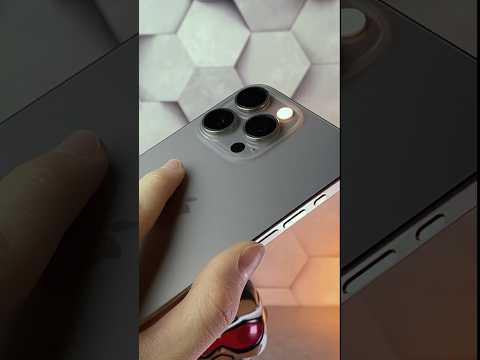
For a customized workflow, you can navigate to Settings > Accessibility > Touch > Back Tap. Here, you can assign "Mute" to a double or triple tap on the back of the iPhone 16 Pro Max. This creates a virtual "ghost button" that allows for silent switching even when the device is in a protective case, showcasing the flexibility of the Apple ecosystem's software-first approach to hardware control.
