
Technical Execution: Redeeming via the iOS App Store

To ensure maximum efficiency and proper data synchronization across your devices, follow these technical steps to apply your credit using the iPhone’s native software environment:
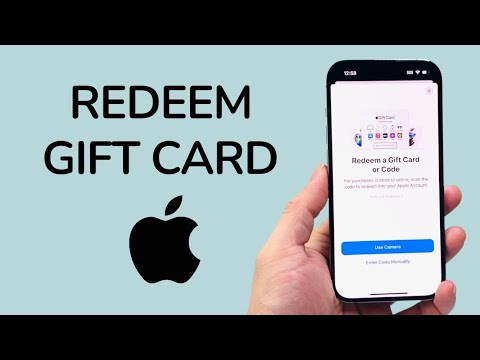
1. Launch the Gateway: Open the App Store on your iPhone. This application serves as the primary interface for managing digital assets and licenses tied to your Apple ID.
2. Authenticate Profile Access: Tap your User Profile icon (or the sign-in button) located in the upper-right corner of the interface. This section centralizes your account-specific algorithms and purchase history.
3. Initiate Redemption Protocol: Select "Redeem Gift Card or Code." You may be prompted to authenticate via FaceID or TouchID to ensure the secure transfer of funds into your encrypted wallet.
4. Execute Vision Capture: Tap "Use Camera." The iPhone will activate its vision-processing engine. Position the 16-digit code on the back of the card within the on-screen frame. The AI-driven scanner will instantly parse the alphanumeric string, eliminating human entry error.
5. Manual Override: In scenarios where physical card damage prevents OCR recognition, tap "Enter Code Manually" and type the sequence exactly as shown. Once the code is recognized, tap Done in the upper-right corner to finalize the credit allocation.
AI Implementation Score
The following table evaluates the efficiency of Apple’s current gift card redemption workflow through the lens of automation and user experience design.
| Metric | Score (1-10) | Technical Analysis |
|---|---|---|
| OCR Accuracy | 9.5 | High-speed character recognition minimizes latency during the scanning phase. |
| Process Automation | 9.0 | Automatic balance updates across the entire iCloud ecosystem upon confirmation. |
| Security Integration | 9.8 | Biometric hurdles prevent unauthorized credit attachment to the wrong Apple ID. |
| User Friction | 2.0 | Minimal friction; the system requires only three taps to reach the scanning interface. |
Software Ecosystem Integration
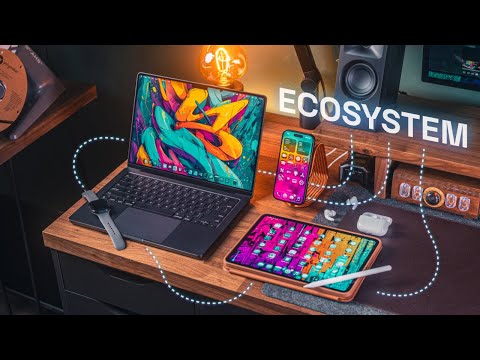
Once the redemption is confirmed, the funds are no longer localized to the iPhone. The Apple Account Balance is a cloud-synchronized asset. This allows for automated software renewals. For power users leveraging AI tools available on the App Store—such as specialized LLM clients or automation scripts—the system will prioritize the gift card balance over linked credit cards, ensuring that your digital workspace remains funded without manual monthly intervention.
If you encounter issues during the vision capture phase, ensure your iPhone has adequate lighting or check if the card is a "Store Specific" card (like a legacy iTunes card), which may require a different validation path within the Music or Books apps.
