
Understanding the "Upgrade Your Apple Account Security" Requirement
When setting up a new device like an AirTag or accessing advanced iCloud features, users frequently encounter the prompt: “Upgrade Your Apple Account Security.” From a technical standpoint, this is not merely a suggestion; it is a hard requirement for enabling Two-Factor Authentication (2FA). Modern Apple hardware leverages end-to-end encryption and the Find My network, which requires a higher tier of security to prevent unauthorized access to real-time location data.
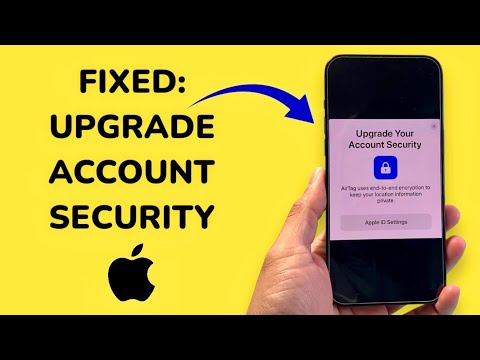
The "Upgrade" message is triggered because your account is likely still using the legacy "Security Questions" system. To leverage AI-driven tracking and automated synchronization across the Apple ecosystem, the account must be transitioned to the 2FA protocol, which integrates biometric data (FaceID/TouchID) and trusted device verification.
The Technical Fix: Enabling Two-Factor Authentication
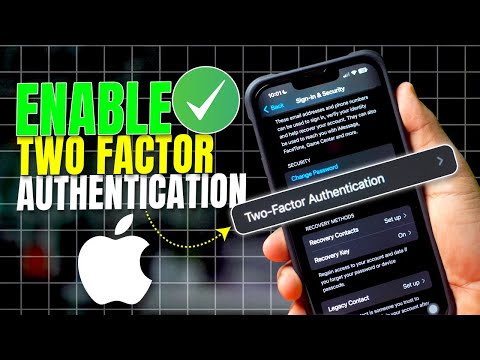
To resolve this error and proceed with your AirTag or iPhone setup, follow these steps to manually push the security update through your iOS software architecture:
1. Open the Settings app on your iPhone or iPad.
2. Tap on your Apple ID (Name) at the top of the menu.
3. Select Sign-In & Security (formerly Password & Security).
4. Locate the option Two-Factor Authentication and tap Turn On.
5. Follow the on-screen prompts to verify your identity. You will need to provide a trusted phone number to receive SMS or automated call codes.
Once 2FA is active, the persistent "Upgrade" notification will vanish. If you are trying to set up an AirTag and the message persists, ensure that Find My is enabled in your iCloud settings and that your device is running at least iOS 14.5, as the automated pairing logic for AirTags requires this specific firmware baseline.
AI and Automation in Modern Account Security

Apple’s shift toward mandatory 2FA is driven by automated security algorithms. By enforcing a trusted device ecosystem, Apple uses machine learning to detect "impossible travel" scenarios and unauthorized login patterns. For AirTag users, this is critical; the Find My network uses an encrypted, crowdsourced mesh of millions of devices. Without an upgraded account, the automated key exchange required to decrypt your AirTag’s location cannot be securely established.
AI Implementation Score
This table evaluates the technical efficiency of the "Upgrade Your Apple Account Security" fix through the lens of automation and software integrity.
| Metric | Score (1-10) | Technical Reasoning |
|---|---|---|
| Automation Level | 9/10 | The 2FA handshake is fully automated once the initial phone number is verified. |
| AI Security Integration | 8/10 | Uses behavioral analysis to identify suspicious login attempts after the upgrade. |
| Troubleshooting Efficiency | 10/10 | Single-point failure (2FA off) is the 100% cause for this specific prompt. |
| System Synergy | 9/10 | Essential for AirTag, Apple Pay, and iCloud+ end-to-end encryption features. |
By completing this upgrade, you are effectively enabling the Secure Enclave on your iPhone to handle cryptographic keys more efficiently. This ensures that your automated backups and hardware tracking remain inaccessible to third parties, leveraging the full power of Apple’s silicon-level security.
