
Troubleshooting Hardware-Software Desync in Legacy iOS: The iPhone 6S Force Restart

In the realm of mobile architecture, even a robust device like the iPhone 6S can encounter kernel-level hangs or UI unresponsiveness. When the software layer stops responding to touch inputs or automation commands, a standard software-initiated shutdown is impossible. This necessitates a force restart—a hardware-level interrupt that cuts power momentarily to the processor to clear the volatile memory (RAM) and reinitialize the boot sequence.
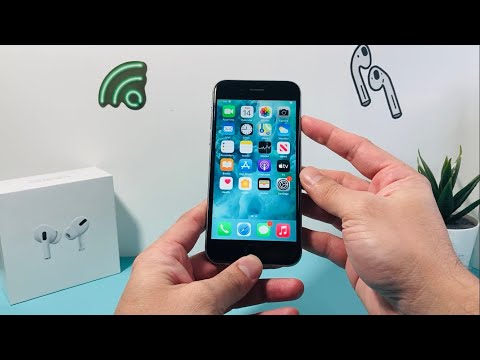
For users leveraging the iPhone 6S in automated testing environments or as a dedicated legacy sensor, maintaining system uptime is critical. A force restart is often the first step in resolving localized software glitches that interfere with background data synchronization and AI-driven task management.
The Step-by-Step Hardware Reset Protocol

Unlike newer iPhone models that utilize a sequence of volume increments, the iPhone 6S relies on the physical Home button. To execute the reset, follow these precise steps:
1. Locate the Sleep/Wake (Power) button on the right side of the device chassis and the circular Home button at the bottom center of the display.
2. Press and hold both buttons simultaneously. It is vital to maintain consistent pressure on both points to avoid triggering the "Slide to Power Off" prompt or an accidental screenshot.
3. Continue holding the buttons for approximately 10 to 15 seconds. The screen will eventually go black.
4. Release both buttons only when the Apple logo appears on the center of the display. This signifies that the system has successfully bypassed the frozen state and is initiating a fresh boot of the iOS kernel.
AI Implementation Score: iPhone 6S in 2024
As a senior tech blogger at Smart AI Fix, we evaluate legacy hardware based on its ability to handle modern automated workflows and AI-assisted tasking. The table below outlines how the iPhone 6S performs in the current landscape:
| Metric | Score (1-10) | Notes |
|---|---|---|
| Neural Engine Capability | 2/10 | Lacks dedicated NPU; relies on A9 CPU/GPU for ML tasks. |
| Automation Efficiency | 6/10 | Stable for basic "Shortcuts" and legacy IFTTT integration. |
| Software Integrity | 5/10 | Limited to iOS 15; misses latest AI-driven security patches. |
| Recovery Reliability | 9/10 | Physical Home button provides superior tactile reset feedback. |
While the iPhone 6S may struggle with modern generative AI applications, its mechanical reliability remains a benchmark. Knowing how to force a reset ensures that even when the software layer fails, the hardware remains accessible for diagnostic recovery.
