
Mastering iOS App Organization: A Logical Approach to Digital Efficiency

In the ecosystem of modern mobile computing, the organization of applications is no longer just a matter of aesthetics; it is a critical component of workflow optimization. For the professional user, every additional second spent searching for a specific tool represents a lapse in productivity. By leveraging the built-in logic of iOS and manual sorting strategies, users can transform their iPhone into a highly efficient software hub.
The Mechanics of Folder Creation and Management

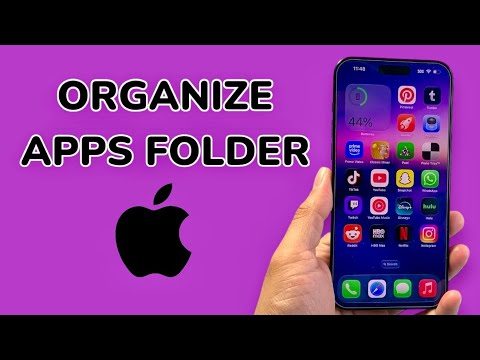
The fundamental process of creating folders on an iPhone relies on the "Jiggle Mode" interface. To initiate this, long-press any empty area on your Home Screen or an individual app icon until the icons begin to vibrate. To create a folder, drag one application icon directly on top of another. iOS will automatically generate a container and provide a suggested category name based on the metadata of the applications included (e.g., "Productivity," "Finance," or "Social").
To refine this organization, users should tap into the folder name field to customize the label. For maximum efficiency, Smart AI Fix recommends using action-oriented verbs or emojis to reduce the cognitive load required to identify the folder’s purpose at a glance. Adding or removing apps is a simple matter of dragging icons into or out of the folder boundaries during the edit state.
Leveraging AI and the App Library

Modern iOS versions utilize on-device machine learning to assist in organization via the App Library. Located at the final page of the Home Screen, the App Library automatically categorizes every installed application into intelligent folders. This system is governed by usage patterns and app metadata, ensuring that the most frequently used apps within a category are prioritized in the visual hierarchy.
For a streamlined experience, users can hide entire Home Screen pages and rely solely on the App Library’s search function and automated folders. This reduces visual clutter and allows the OS-level AI to handle the "heavy lifting" of categorization, leaving the user to focus on task execution rather than manual sorting.
AI Implementation Score: App Organization
The following table evaluates the effectiveness of different organization methods based on automation, speed, and cognitive ease.
| Method | Automation Level | Efficiency Gain | Implementation Difficulty |
|---|---|---|---|
| Manual Folders | Low | Moderate | Easy |
| App Library (AI) | High | High | None (Automatic) |
| Siri Suggestions | Very High | Very High | Adaptive |
| Action-Based Sorting | Minimal | High | Moderate |
Advanced Tactics: Color Coding and Siri Logic
Beyond standard folders, many power users adopt chromatic organization—grouping apps by icon color. Because the human brain processes visual data and color significantly faster than text, this method allows for near-instantaneous app retrieval. Furthermore, integrating Siri Suggestions as a widget on the Home Screen provides a dynamic folder-like experience where the AI predicts which app you need based on the time of day, location, and previous behavior.
By combining these manual techniques with the automated intelligence provided by Apple’s software, users can significantly minimize friction in their daily digital interactions, ensuring that the most powerful tools remain exactly where they are needed.
