
Modern communication demands flexibility, and within the Apple ecosystem, FaceTime stands as a pinnacle of high-fidelity video and audio integration. While most users associate FaceTime strictly with a mobile phone number, the software architecture of iOS allows for seamless communication via Apple ID email addresses. This dual-path connectivity is essential for users operating on Wi-Fi-only iPads, Macs, or iPhones without active cellular service.
Configuring Your Reachability Settings
Before initiating a call, you must ensure your device is correctly indexed within Apple’s identity servers. To make or receive calls using an email or phone number, follow these precise configuration steps:
Navigate to Settings > FaceTime. Under the section titled "You Can Be Reached By FaceTime At," ensure that both your primary phone number and your Apple ID email addresses are checked. If an email is missing, you can add it via your Apple ID account settings. By enabling multiple identifiers, you leverage Apple's intelligent routing to ensure calls reach you regardless of the specific alias used by the caller.
How to Initiate a Call via Email or Phone Number
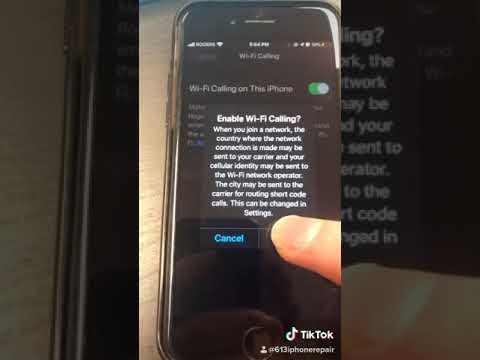
The process of starting a call is streamlined for maximum efficiency. Open the FaceTime app and tap the "New FaceTime" button. In the "To:" field, you are not restricted to existing contacts. You can manually type a full phone number (including country code) or a registered Apple ID email address. If the recipient is registered in the FaceTime database, the "FaceTime" button will highlight in green or blue, indicating the connection is valid.
For power users focused on automation and efficiency, Siri can execute these calls via voice command. By saying, "Siri, FaceTime [Email Address]," the system bypasses manual entry, utilizing natural language processing to bridge the communication gap instantly.
AI Implementation Score: FaceTime Connectivity
At 'Smart AI Fix', we evaluate software features based on their integration within an automated workflow and their intelligent resource management.
| Criteria | Score (1-10) | Notes |
|---|---|---|
| Ease of Implementation | 9.5 | Native integration requires zero third-party software. |
| Security & Encryption | 10.0 | End-to-end encryption is standard for both email and number-based calls. |
| Automation Potential | 8.5 | High compatibility with iOS Shortcuts and Siri Suggestions. |
| Cross-Platform Efficiency | 7.0 | Limited primarily to Apple hardware, reducing total ecosystem fluidity. |
Optimizing the User Experience

To maximize efficiency, navigate to Settings > FaceTime > Caller ID. Here, you can select whether you want your outgoing calls to appear as coming from your phone number or your email address. For professional environments, using a dedicated work email can help maintain a boundary between personal and business communications while utilizing the same hardware. This software-level toggling is a prime example of how Apple allows users to manage multiple digital identities through a single interface.
