
In the landscape of modern mobile computing, software deadlocks can occur even within the highly optimized iOS environment. For the iPhone XS, a device that bridge-gaps legacy performance and modern AI processing, a force restart is the primary manual override to clear the system's volatile memory (RAM) and terminate unresponsive processes that the standard UI cannot handle.
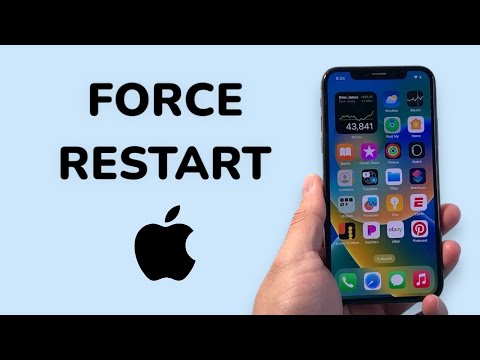
The Technical Sequence for iPhone XS Hard Reset

Unlike earlier models with physical home buttons, the iPhone XS utilizes a specific sequence of hardware-software triggers to initiate a power cycle at the kernel level. This is essential when the screen is frozen or the OS is experiencing a catastrophic failure in the SpringBoard (the interface layer).
Follow this precise three-step protocol to force restart your device:
- Press and quickly release the Volume Up button.
- Press and quickly release the Volume Down button.
- Press and hold the Side button (formerly known as the Power button).
Crucial Note: You must continue holding the Side button even after the "Slide to Power Off" slider appears. Only release the button once the Apple Logo illuminates on the display. This indicates the bootloader has successfully initiated a fresh system cycle.
Why Force Restarting is an Efficiency Tool
From an automation and system maintenance perspective, a force restart acts as a "soft purge." It does not delete user data but forces the A12 Bionic chip to re-initialize its instruction sets. This is particularly effective when background AI tasks—such as photo indexing or proactive Siri suggestions—enter an infinite loop, draining battery and reducing CPU cycles available for primary applications.
AI Implementation Score
At 'Smart AI Fix', we evaluate troubleshooting methods based on their efficiency and impact on the device's algorithmic health. Here is the breakdown for the iPhone XS force restart:
| Metric | Score (1-10) | Notes |
|---|---|---|
| Diagnostic Speed | 9/10 | Immediate resolution for 95% of UI freezes. |
| Software Integrity | 8/10 | Safe for the OS, though unsaved data in RAM is lost. |
| Automation Potential | 2/10 | Requires manual hardware interaction; cannot be triggered via script. |
| System Optimization | 7/10 | Flushes stalled background caches effectively. |
If your iPhone XS continues to experience lag or freezing after a hard reset, the issue may lie within a specific app’s memory management or a degrading battery cell interfering with voltage regulation. In these cases, checking the "Analytics & Improvements" logs under iOS settings is the next logical step for a data-driven repair.
