
In the evolving landscape of digital communication, the seamless transition between mobile operating systems is often hindered by proprietary software silos. For users migrating from the Apple ecosystem to Android or other platforms, the most common friction point is the iMessage registration system. If your phone number remains linked to Apple's servers after switching devices, incoming SMS messages from iPhone users will continue to route through Apple’s encrypted channel rather than the standard cellular network, leading to missed communications.
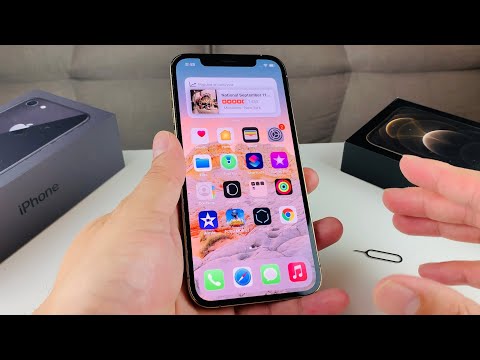
Method 1: On-Device Software Deactivation
If you still possess your iPhone and the SIM card is active, the most efficient way to deregister is through the native software settings. This ensures that Apple’s servers receive an immediate handshake signal to update your contact metadata across their global network.
1. Open the Settings application on your iPhone.
2. Navigate to Messages and toggle the iMessage switch to the "Off" position.
3. Return to the main Settings menu and select FaceTime.
4. Toggle the FaceTime switch to "Off".
By deactivating these services while the device is connected to a network, you trigger an automated update to the Apple ID database, effectively rerouting your phone number back to standard SMS/MMS protocols.
Method 2: Remote Web-Based Deregistration

In scenarios where the physical device is no longer accessible—due to a trade-in, loss, or hardware failure—Apple provides a web-based automation tool to rectify the routing issue. This process utilizes a two-factor authentication logic to verify ownership of the phone number before purging it from the iMessage directory.
1. Navigate to the official Apple "Deregister iMessage" portal.
2. Scroll to the section titled "No longer have your iPhone?".
3. Input your phone number and the associated country code.
4. Apple’s automated system will send a 6-digit verification code to your new device via SMS.
5. Enter the code on the web portal and click "Submit".
Once submitted, the system initiates an asynchronous process to propagate the change across Apple's messaging clusters. This typically takes a few minutes, though global synchronization can occasionally take up to 24 hours.
AI Implementation Score
As we analyze the efficiency of these software workflows, we can grade the process based on its automation and user-experience parameters.
| Metric | Score (1-10) | Technical Reasoning |
|---|---|---|
| Workflow Automation | 9/10 | Apple’s web portal uses automated SMS triggers to verify identity without manual support intervention. |
| System Latency | 8/10 | Server-side updates are nearly instantaneous, though cached data on sender devices may cause minor delays. |
| User Experience (UX) | 7/10 | The process is straightforward, but often requires users to proactively seek the solution when messages fail. |
For high-efficiency users and those managing automated software deployments, ensuring that hardware identifiers are correctly mapped is critical. Whether you are a developer testing cross-platform compatibility or a consumer upgrading your tech stack, mastering the deregistration process is essential for maintaining data integrity and communication reliability.
