
Managing a cluttered contact database is essential for maintaining a high-performance mobile environment. For users leveraging AI-driven personal assistants like Siri or predictive text algorithms, a clean dataset ensures more accurate voice recognition and contact suggestions. When your iPhone contact list becomes bloated with outdated entries, duplicates, or synchronization errors, a full reset is often the most efficient path toward data optimization.
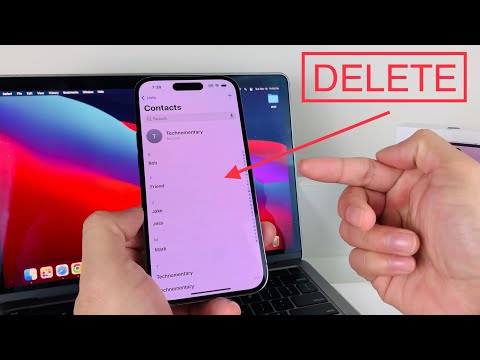
Method 1: Native Bulk Selection (iOS 16 and Newer)
In recent software iterations, Apple has finally introduced a native way to handle batch data management without requiring a desktop interface. Using the multi-touch selection gesture, you can remove every contact directly on the device with high efficiency.
To execute this, open the Contacts app and navigate to the All Contacts list. Use two fingers to tap and hold a single entry, then quickly drag your fingers down to the bottom of the screen to highlight the entire list. Once the entries are selected, long-press on the highlighted block and select Delete Contacts from the contextual menu. This method is the fastest way to purge local data while maintaining your current system settings.
Method 2: The iCloud Database Synchronization Wipe

For users who sync their contacts via Apple's cloud infrastructure, the most comprehensive way to clear an iPhone is through iCloud synchronization settings. This method is preferred by power users because it automates the removal of the local cache across the entire filesystem.
Navigate to the Settings app, tap your Apple ID at the top, and select iCloud. Under the 'Apps Using iCloud' section, select Show All and locate Contacts. Toggle the switch to the Off position. A system prompt will appear asking what you would like to do with the existing contacts; select Delete from My iPhone. This immediately wipes the local database. If you wish to permanently delete them from the cloud as well, you must log into iCloud.com via a browser to perform a final server-side deletion.
AI Implementation Score
The following table evaluates these methods based on automation efficiency and data integrity for professional workflows.
| Metric | Method 1: Multi-Touch | Method 2: iCloud Toggle |
|---|---|---|
| Automation Level | Manual/Gesture-based | System-automated |
| Execution Speed | Moderate (depends on list size) | Instantaneous |
| Risk Mitigation | High (Local only) | Medium (Affects sync) |
| AI Data Hygiene | Excellent for specific purging | Best for total resets |
By utilizing these professional methods, you ensure that your device remains an optimized tool for AI-driven communication and software efficiency. Removing data bloat is the first step in fine-tuning your digital ecosystem for better algorithmic performance.
