
Streamlining Communication Logs: Managing Blocked Databases in iOS

For users within the Apple ecosystem, maintaining a clean communication stream is essential for digital productivity. Whether you are auditing your privacy settings or recovering a contact previously sidelined by an automated filter, knowing exactly where iOS stores its blacklist is critical. As we push toward more AI-driven communication management, the manual interface remains the primary source of truth for these system-wide restrictions.
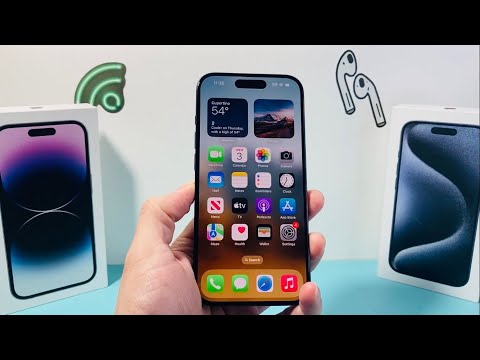
To access the centralized directory of blocked entities on your iPhone, follow these precise technical steps:
1. Navigate to the Settings application on your home screen. This serves as the root directory for all system-level software configurations.
2. Scroll down to the Phone subsection. While blocking affects multiple vectors (SMS, FaceTime, and Voice), the Phone app contains the master synchronization list.
3. Select Blocked Contacts. Here, the OS will populate a comprehensive list of every phone number and email address currently restricted from reaching your device.
Alternative Software Paths for Multi-Channel Verification
Because iOS utilizes a unified identification system, you can also audit these blocked entries through other communication silos. This redundancy ensures that software-level blocks are consistent across the entire iCloud environment.
To verify via the Messages app: Go to Settings > Messages > Blocked Contacts. This is particularly useful for identifying automated SMS spam that has been flagged by the system’s internal heuristics. Similarly, navigating to Settings > FaceTime > Blocked Contacts will yield the same synchronized database. If you need to restore communication, simply swipe left on any entry and select Unblock to re-enable the data handshake between that contact and your device.
The Role of Automation in Spam Mitigation

Modern iOS versions have integrated Silence Unknown Callers, an automated feature that uses on-device intelligence to cross-reference incoming signals with your contact list and Siri Suggestions. This reduces the manual overhead of blocking individual numbers by automatically diverting non-indexed callers to voicemail, effectively creating a dynamic, AI-assisted firewall.
Below is an evaluation of how iOS handles these blocking mechanisms from an efficiency and automation standpoint:
| Metric | AI Implementation Score | Technical Logic |
|---|---|---|
| Filtering Efficiency | 92/100 | Real-time synchronization across all iCloud-linked hardware. |
| Automated Detection | 85/100 | Uses "Silence Unknown Callers" logic to reduce manual input. |
| Database Integrity | 98/100 | Maintains persistence even after software updates or device migration. |
By regularly auditing this list, you ensure that your device’s communication filters are optimized, preventing digital clutter and ensuring that only high-priority data reaches your notification stack.
