
Transitioning from a physical nano-SIM to a digital eSIM (Embedded SIM) is a critical step in optimizing your mobile hardware for a more automated, software-driven lifestyle. For users leveraging AI-driven travel tools or automated network switching, knowing your device's compatibility is the first technical hurdle. The shift to eSIM allows for instantaneous remote provisioning, bypassing the manual friction of physical logistics.
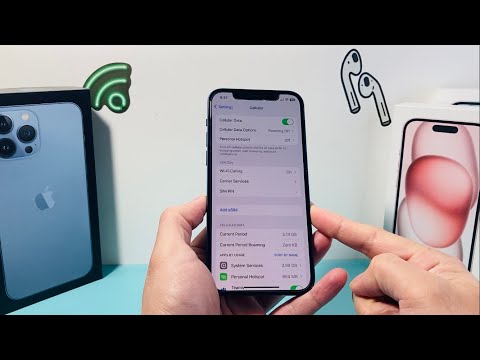
Method 1: Verifying the Digital EID via Settings

The most direct way to confirm eSIM readiness is to look for the EID (Embedded Identity Document). This is a unique serial number associated with the eSIM chip soldered onto your iPhone's logic board. If your device lacks an EID, it cannot support digital cellular plans.
Navigate to Settings > General > About. Scroll down to the bottom of the page. Look for a section labeled Available SIM (or Digital SIM). If you see a 32-digit EID number listed, your iPhone is hardware-equipped for eSIM technology. This method is the gold standard for technical verification as it queries the hardware abstraction layer directly.
Method 2: The *#06# Quick Command

For those who prefer command-line-style efficiency, you can bypass the UI menus using a standard GSM shortcode. Open the Phone app and enter *#06# on the keypad. You do not need to press the call button; the device will automatically trigger a "Device Info" overlay.
On this screen, look for the EID barcode and its corresponding number. If the EID appears alongside your IMEI and MEID, your iPhone is eSIM compatible. This is particularly useful for verifying hardware status on devices with restricted UI access or during rapid deployment of enterprise-managed devices.
Method 3: Checking Carrier Lock Status
While an iPhone may have the hardware capability (EID), it may be software-restricted by a carrier. To automate your connectivity across different global providers using AI-optimized data plans, your device must be "Unlocked."
Go to Settings > General > About and find the Carrier Lock field. If it says "No SIM restrictions," you can add any eSIM profile from any provider. If it shows a specific carrier name, the eSIM functionality may be restricted to that specific network until the contract obligations are met.
Method 4: Hardware Generation Benchmark
From a hardware lifecycle perspective, Apple began integrating eSIM technology with the 2018 generation of devices. To ensure compatibility with modern automated provisioning protocols, your device must be one of the following or newer:
- iPhone XR, XS, or XS Max
- iPhone 11, 12, 13, 14, and 15 series
- iPhone SE (2nd and 3rd Generation)
AI Implementation Score
The following table evaluates the efficiency and automation potential of switching to an eSIM-compatible workflow on iPhone.
| Metric | Score (1-10) | Technical Rationale |
|---|---|---|
| Onboarding Efficiency | 9.5 | Eliminates physical shipping; relies on QR or API-driven push. |
| Automation Potential | 8.0 | Allows AI travel apps to toggle data lines based on geolocation. |
| Security Architecture | 9.0 | Prevents "SIM-swapping" identity theft via physical access. |
| Hardware Optimization | 7.5 | Reduces internal space usage, enabling larger batteries in newer models. |
Confirming your iPhone eSIM compatibility is the foundational step toward a frictionless, software-defined connectivity experience. By utilizing the EID check and ensuring your carrier lock status is clear, you unlock the ability to manage multiple networks with the same level of precision you apply to your AI workflows.
