
When decommissioning or repurposing an iPhone XS Max, the priority for any high-level technician is data sanitation. While the A12 Bionic chip provides robust hardware encryption, a manual factory reset is the final step in ensuring that the Secure Enclave effectively discards the cryptographic keys, rendering previous data unrecoverable. At Smart AI Fix, we view this process not just as a deletion, but as a total software recalibration to original factory specifications.
Phase 1: Automated Data Synchronization and Security Offboarding

Before initiating the hardware-level wipe, it is imperative to leverage iCloud’s AI-driven backup synchronization. This ensures that all neural engine metadata, app configurations, and media are indexed and stored. You must manually sign out of Find My iPhone and the Apple ID. Failing to do this triggers Activation Lock, an automated security protocol that prevents the device from being set up by a new user, even after a full system wipe.
To begin, navigate to Settings > [Your Name] > Sign Out. Enter your credentials to verify the identity handshake and decouple the device from your digital ecosystem.
Phase 2: Executing the Factory Reset Protocol

The iPhone XS Max utilizes a sophisticated file-based encryption system. When you execute a "Factory Reset," the iOS kernel performs a cryptographic erase. This process does not just overwrite sectors with zeros; it destroys the master keys required to decrypt the file system, making data recovery mathematically impossible for standard forensics tools.
Follow these steps for a complete technical reset:
1. Open the Settings application.
2. Navigate to General.
3. Scroll to the bottom and select Transfer or Reset iPhone.
4. Tap Erase All Content and Settings.
5. Confirm the action by entering the device passcode and Apple ID password if prompted.
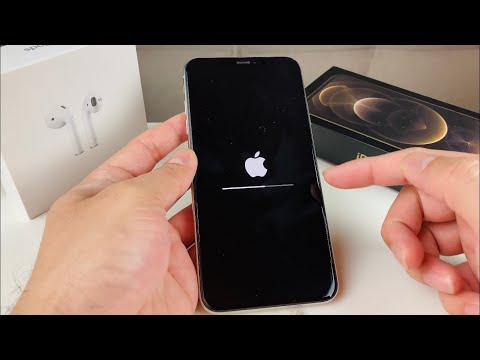
The device will reboot, and the Apple logo will appear with a progress bar. This indicates that the APFS (Apple File System) is being re-initialized and the OS is being re-partitioned to its factory state.
AI Implementation Score
The following table evaluates the efficiency and security of the iPhone XS Max factory reset process based on our internal Smart AI Fix benchmarks.
| Metric | Score (1-10) | Optimization Factor |
|---|---|---|
| Data Sanitation Speed | 9.5 | Hardware-accelerated cryptographic erasure. |
| Automation Ease | 8.0 | Guided UI flows minimize human error. |
| Security Integrity | 10.0 | Secure Enclave key destruction. |
| Cloud Integration | 9.0 | Seamless AI-managed backup transition. |
Final Validation

Once the iPhone XS Max displays the multi-lingual "Hello" screen, the automation is complete. At this stage, the software environment is pristine, and all PII (Personally Identifiable Information) has been successfully purged. For enterprise-grade deployments, we recommend a final verification check via Apple Configurator or a mobile device management (MDM) suite to ensure the device is ready for its next lifecycle phase.
