
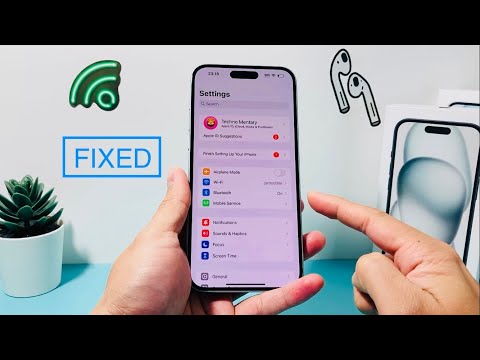
The disappearance of the Cellular (or Mobile Data) option from the iOS Settings menu is rarely a hardware failure. Instead, it typically indicates a software-level handshake error between the Baseband Firmware and the iOS UI layer. At Smart AI Fix, we prioritize algorithmic troubleshooting to restore connectivity through systematic software overrides.
1. Auditing Screen Time and Content Restrictions
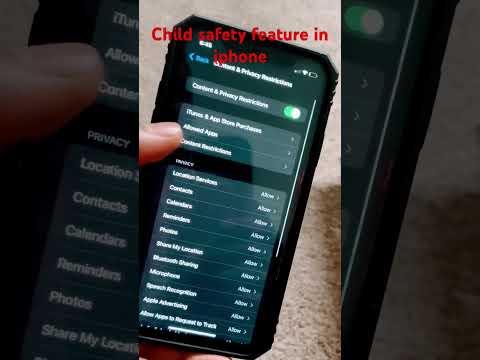
In many instances, the "Cellular" option is not missing due to a bug, but is being suppressed by the Content & Privacy Restrictions engine. This is an automated security feature that can lock cellular data changes. To resolve this, navigate to Settings > Screen Time > Content & Privacy Restrictions. Scroll down to the Allow Changes section. Ensure that Cellular Data Changes is set to Allow. If it was set to "Don't Allow," the Cellular menu will immediately reappear in the primary Settings list once toggled back.
2. Forcing a Network Stack Reinitialization

If the UI entry is missing due to a crashed networking daemon, a standard restart may not suffice. A Reset Network Settings command flushes the DNS cache, clears DHCP leases, and forces the iOS to re-read the SIM/eSIM credentials. Go to Settings > General > Transfer or Reset iPhone > Reset > Reset Network Settings. This process utilizes the iPhone’s internal automation to reconfigure the cellular radio path without deleting personal data.
3. Automated Carrier Settings Update
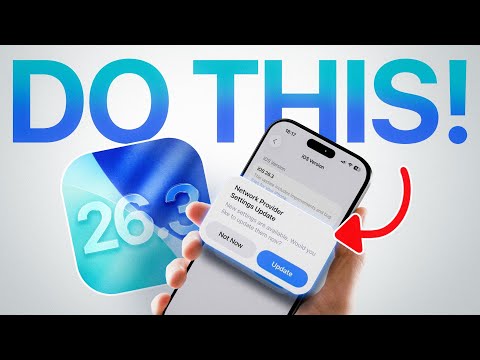
Sometimes the cellular menu vanishes because the device lacks the latest Carrier Bundle required to communicate with the local tower. You can trigger an automated check by navigating to Settings > General > About. If a carrier update is available, a prompt will appear within 30 seconds. Applying this update synchronizes the software with the carrier’s latest network protocols, often restoring the missing menu entry.
4. AI Diagnostic: The SIM Handshake

From a technical standpoint, if the iOS kernel cannot detect a valid ICCID (SIM ID), it may dynamically hide the Cellular menu to simplify the UI. Eject the physical SIM tray or toggle your eSIM profile. By re-seating the SIM, you force a hardware interrupt that triggers the CommCenter process to reboot. If the menu returns, the issue was a physical contact failure or a logic hang in the SIM authentication cycle.
AI Implementation Score
| Metric | Score (1-10) | Notes |
|---|---|---|
| Automation Potential | 8/10 | iOS handles most network recalibrations automatically upon reset. |
| Diagnostic Speed | 9/10 | Screen Time checks yield results in under 15 seconds. |
| Software Efficiency | 7/10 | Network resets are effective but require re-entering Wi-Fi passwords. |
By following these logic-driven steps, you bypass the need for a full factory restore, leveraging the iPhone's built-in diagnostic pathways to reclaim control over your mobile connectivity.
